DeFight — Browser RPG on Web3
A large-scale browser RPG built around its own token, with thousands of items, locations and mechanics, plus a design system to hold it all together.
- Role
- Design Lead
- Period
- Feb 2024 — 2026
- Team
- 3 designers (lead, middle, character & motion designer)
Context
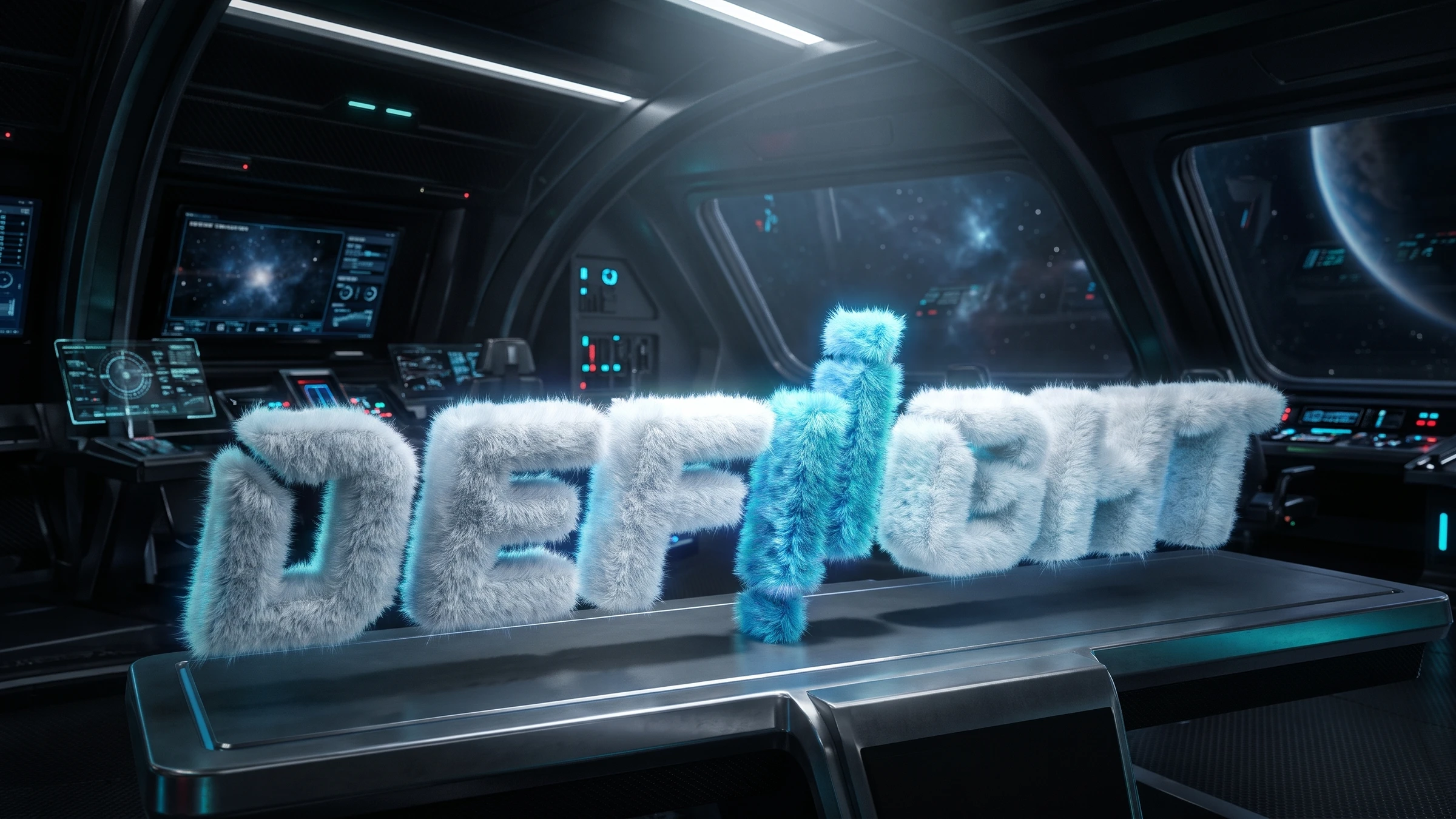
DeFight is a browser RPG powered by its own token. Players build a squad of heroes, gear them up with armor and weapons, complete quests, join events and trade items for crypto. In two years the game grew into a huge world: hundreds of items, dozens of mechanics and its own economy. Alongside it, the same team ran Dapp.Expert, a crypto media platform.
My role
I led design for DeFight as Design Lead in a team of three designers: me, a mid-level product designer, and a character & motion designer who created and animated the heroes. I owned the game’s structure on the interface side, the library rules and communication with the CEO and developers.
The game kept growing: new events, seasons and items kept appearing. So we built not a set of screens but a system where new content is added without redrawing the interface. Every screen went through review and reached development with all its states and logic annotations.
Identity
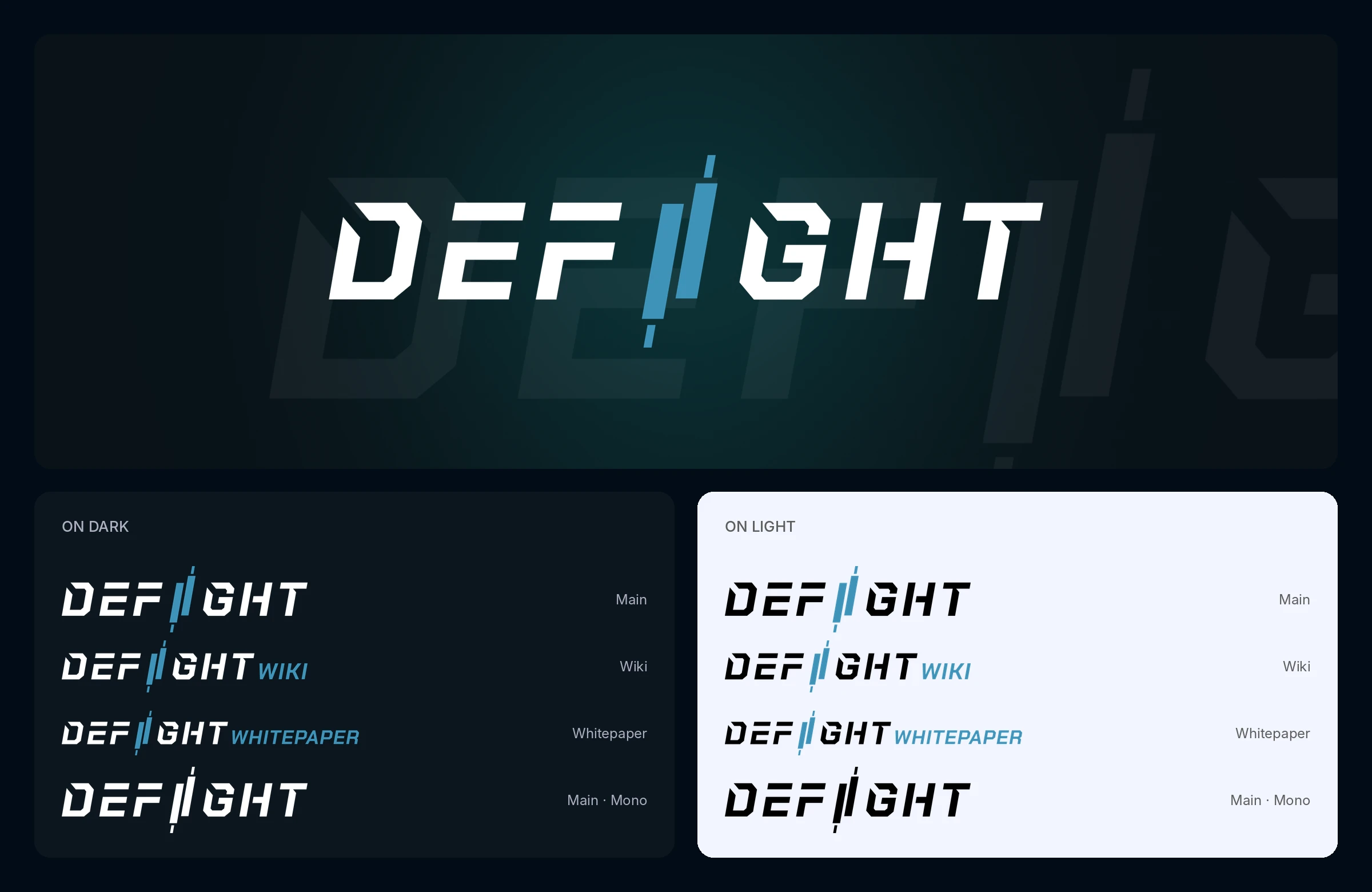
The DeFight logo is built on the image of a market candlestick: instead of the letter “I”, the word holds a teal candle with wicks, just like on a price chart. So the mark says right away that this is a game about the crypto market. We made separate versions of the mark for the wiki and the whitepaper, each with variants for dark and light backgrounds and a monochrome version.
Design system
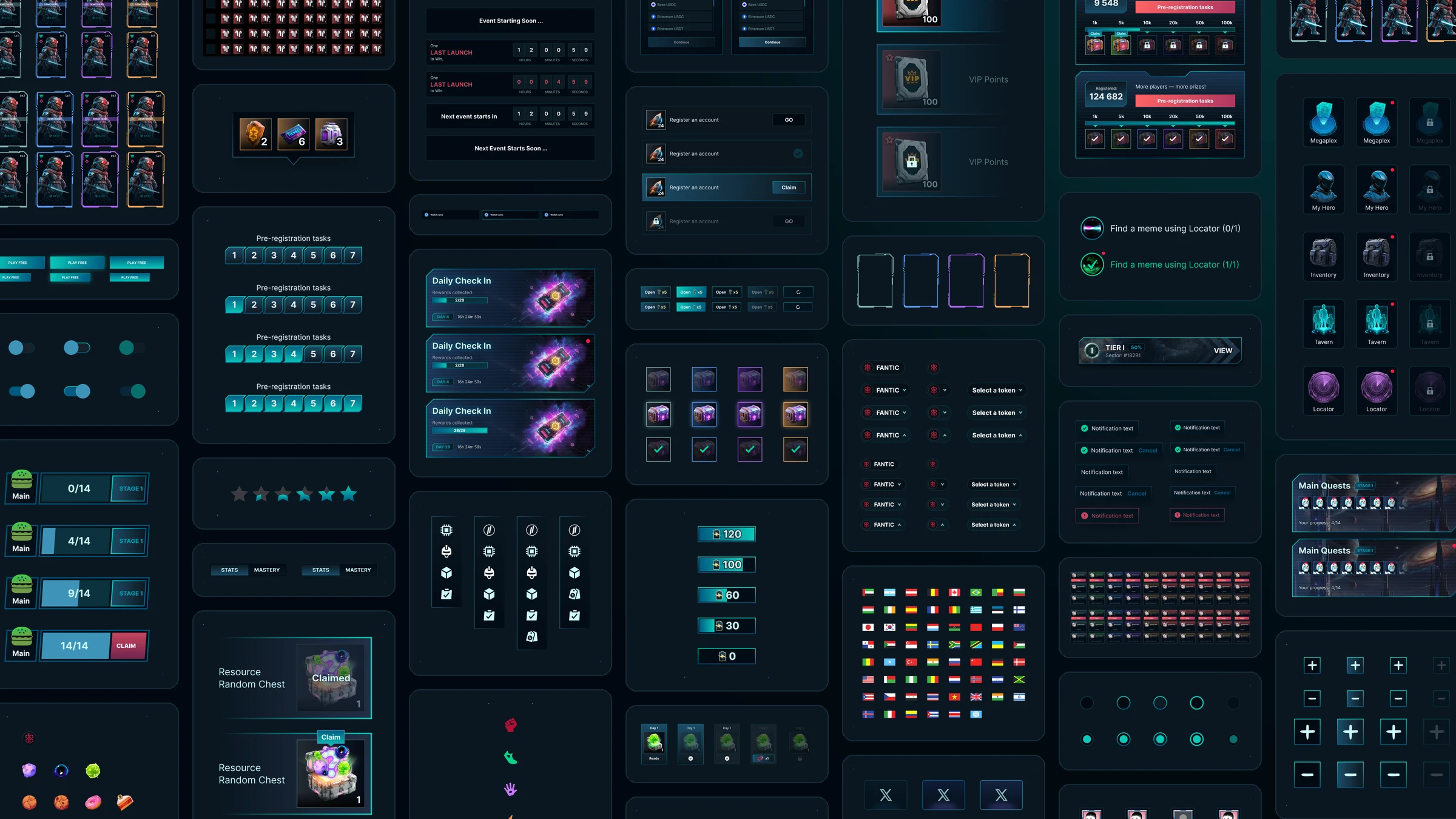
A game interface is harder than a regular product: inventory, heroes, quests, events, the wallet and the marketplace have to live in one style and stay out of the game’s way. We built one library for everything: from buttons and inputs to hero cards, gear slots, battle passes and event widgets.
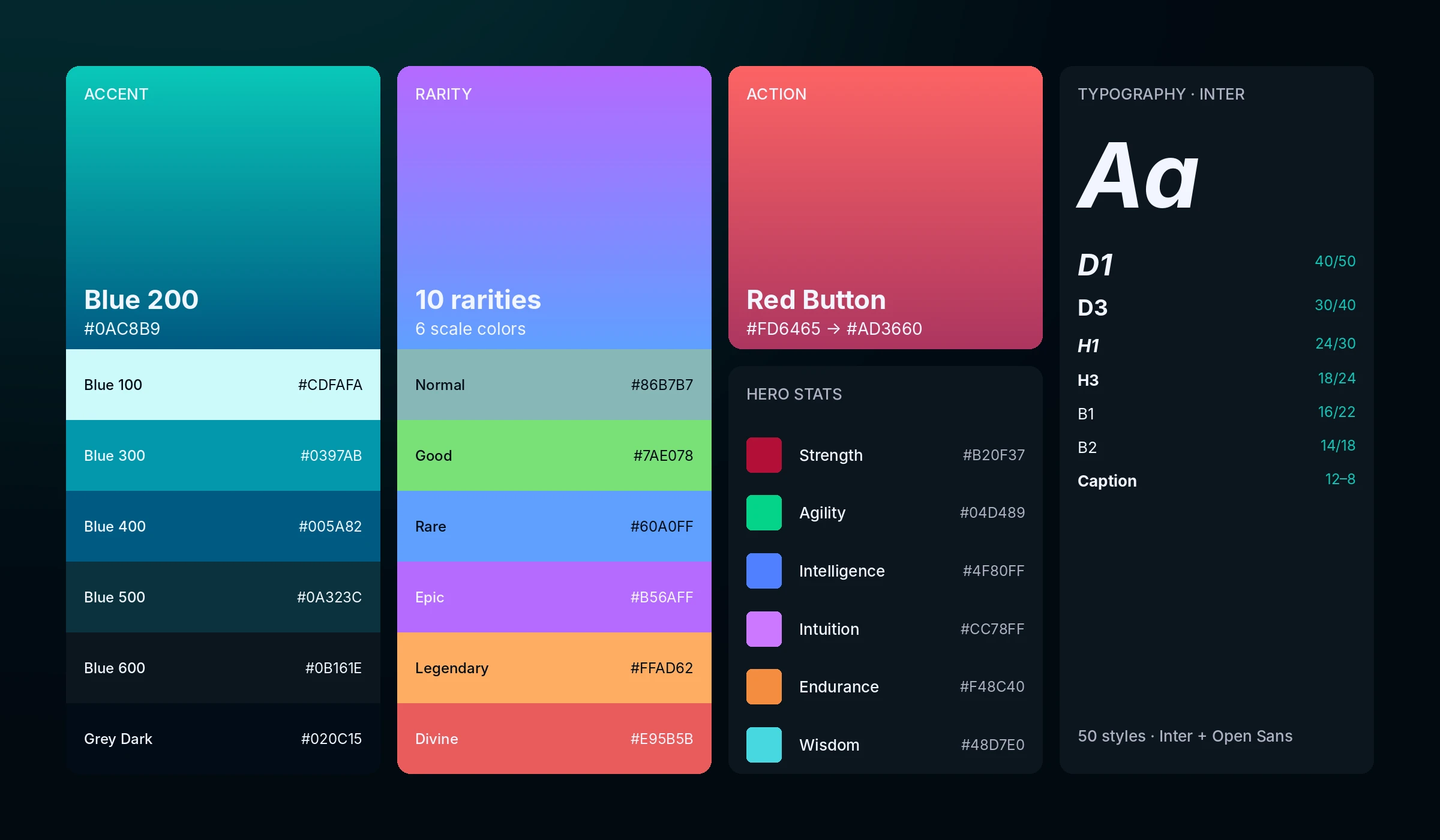
A dark space theme with a teal accent: it draws the eye to the main actions and progress, while red gradient buttons mark the game’s key actions. A separate ten-level rarity scale, from Normal to Divine, runs through the whole interface: item frames, rewards, hero cards. Hero stats have their own colors, so players read strength or agility before they read the number.
Every component has all its states, from hover and disabled to locked and claimed rewards, and templates are built in three breakpoints. A new event or season was assembled from ready-made blocks instead of being drawn from scratch.
Items
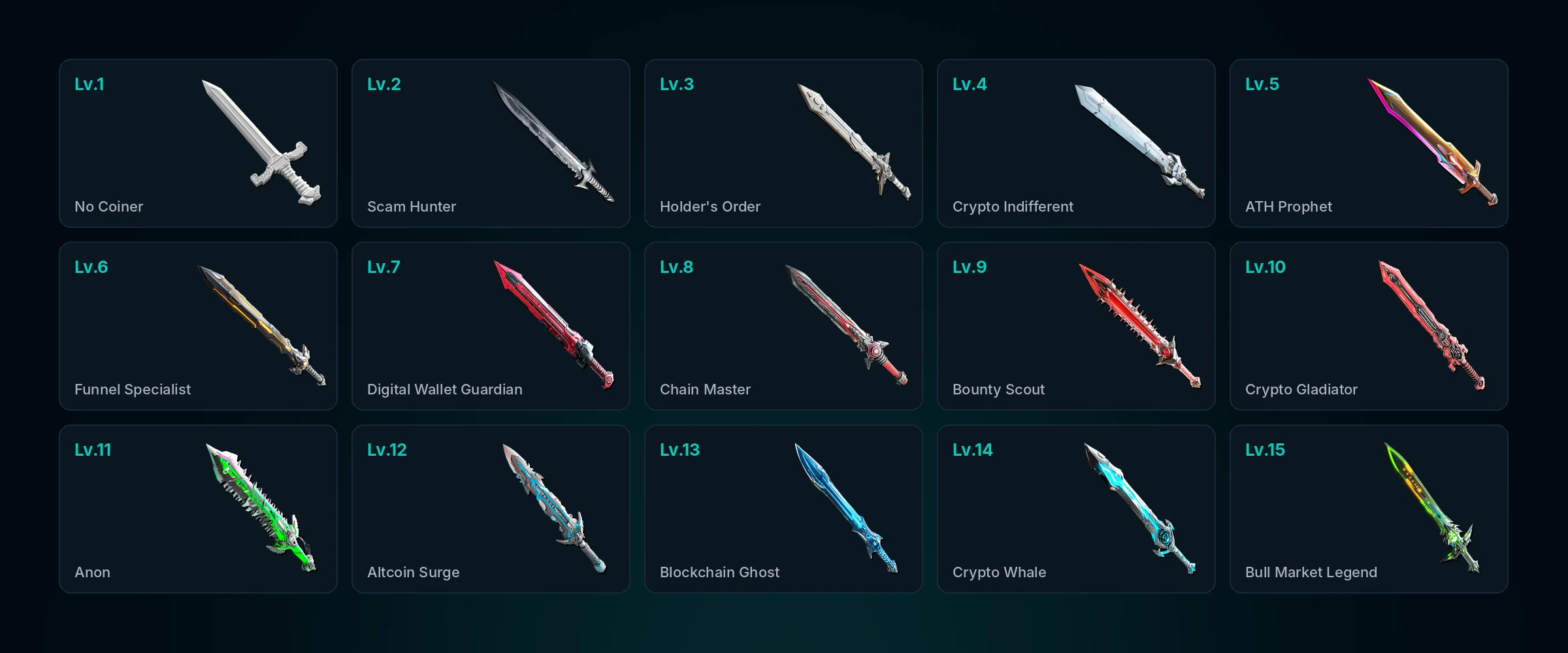
Gear is the heart of an RPG. The game has 842 items: armor, weapons, accessories, chests and resources. Each belongs to one of more than 80 sets with crypto names, from No-Coiner and Scam Hunter to Crypto Whale and Bull Market Legend, and has a level from 1 to 15.
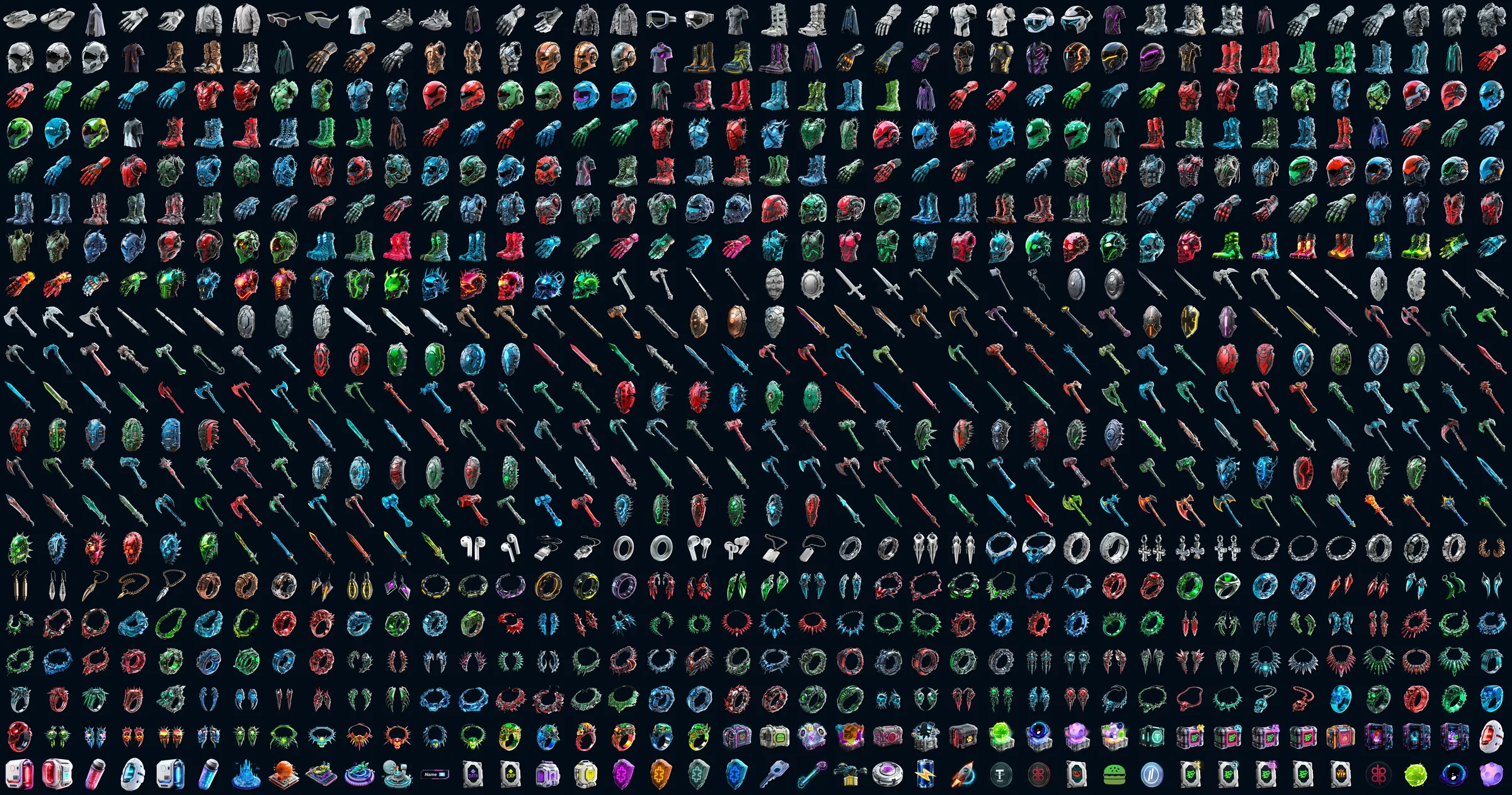
An item grows with the player: the higher the level, the more complex the shape, the brighter the color and the more detail. Rarity isn’t baked into the art, it comes from a design-system card. So the same sword can be common or legendary, and the library doesn’t need hundreds of redrawn copies.
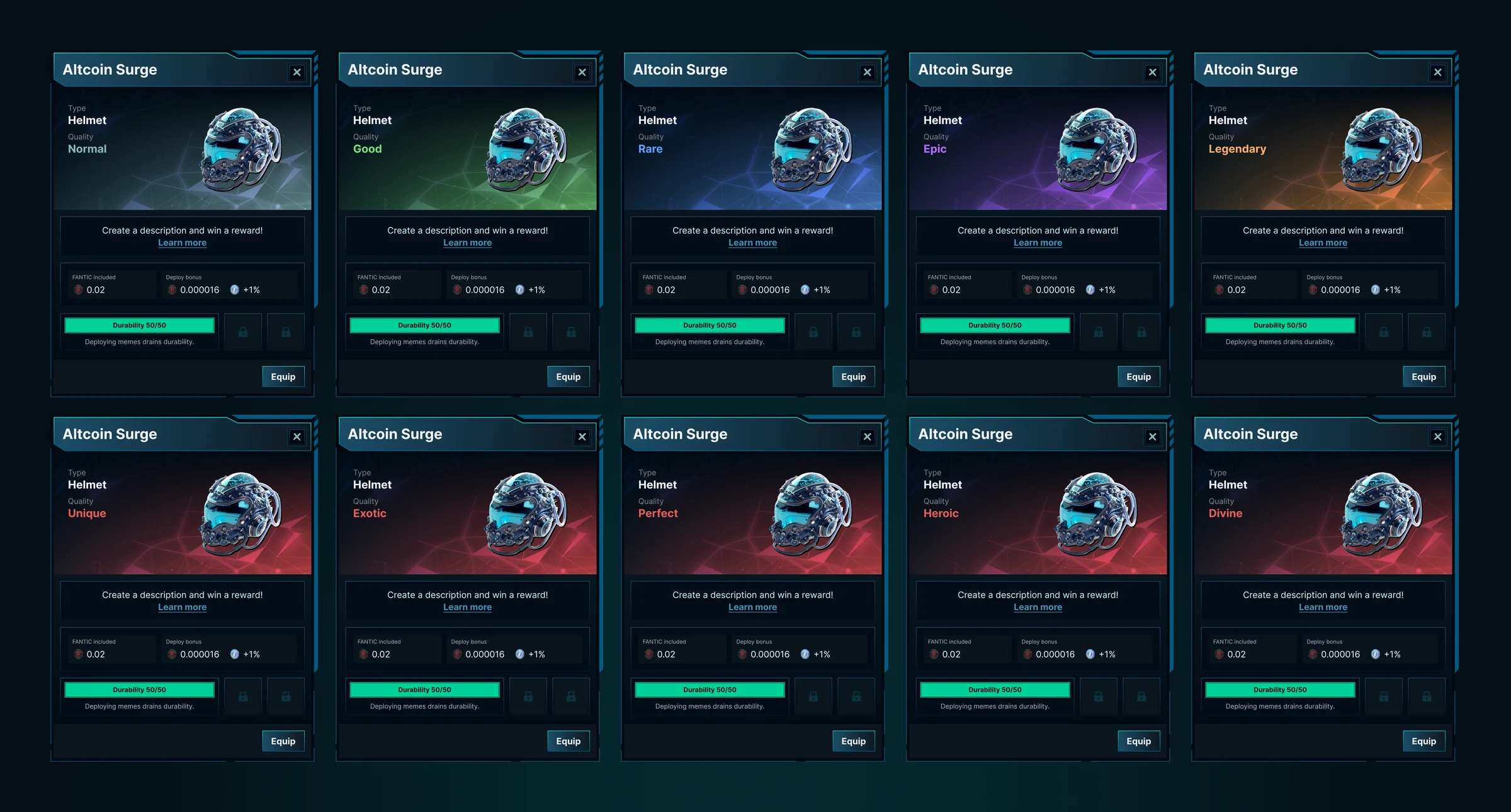
Item cards
Players see every item in a card: type, quality, bonuses, durability and actions. There is one card for the whole game, and rarity only changes the background color and the quality label. That’s how one Altcoin Surge helmet exists in ten rarities without a single redrawn piece of art.
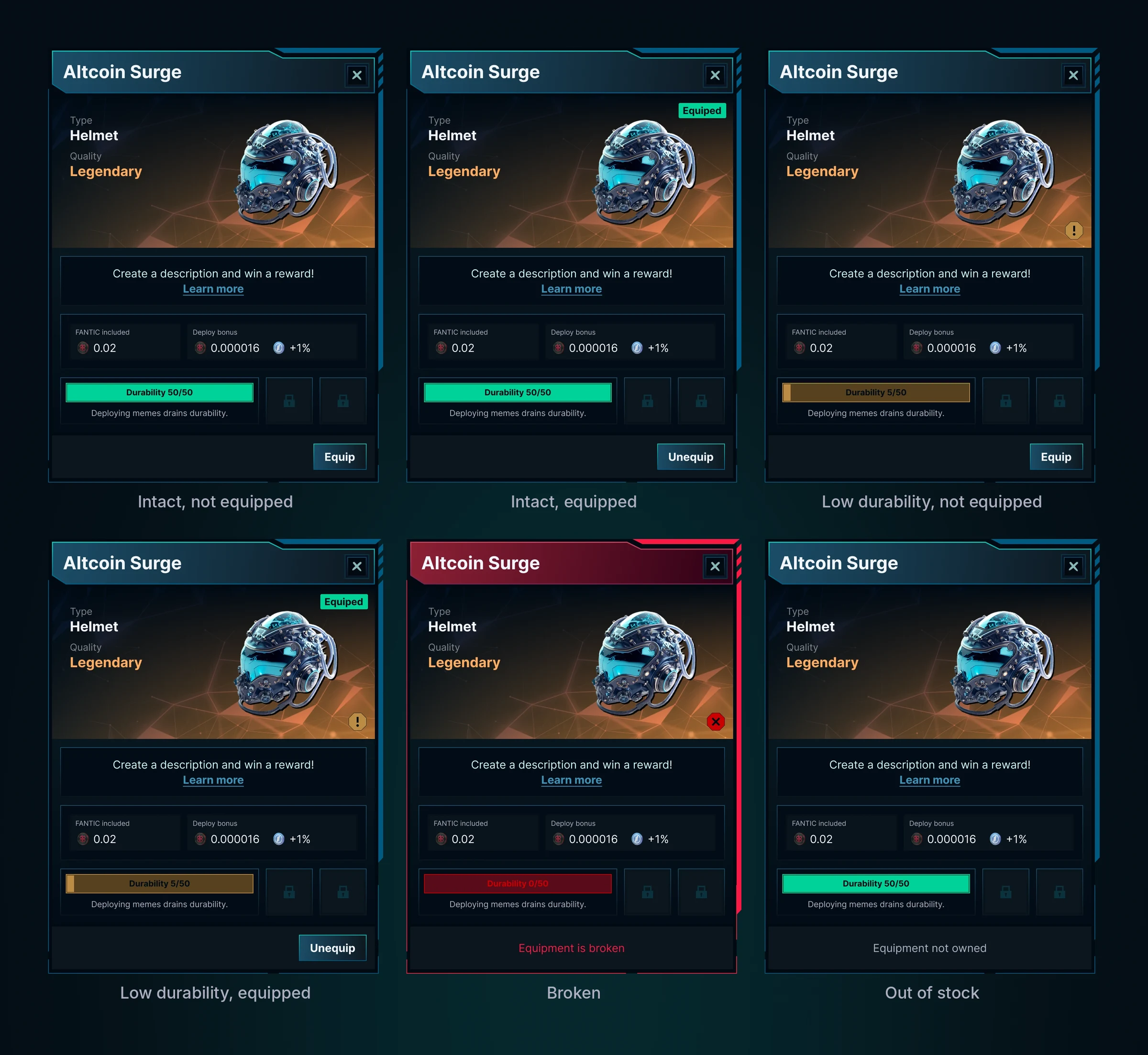
Gear wears out when the player sends memes into battle, so the card has six states: from an intact item to a broken or missing one. The color of the durability bar, the marks on the art and the action button tell players what to do next before they read any text.
Characters
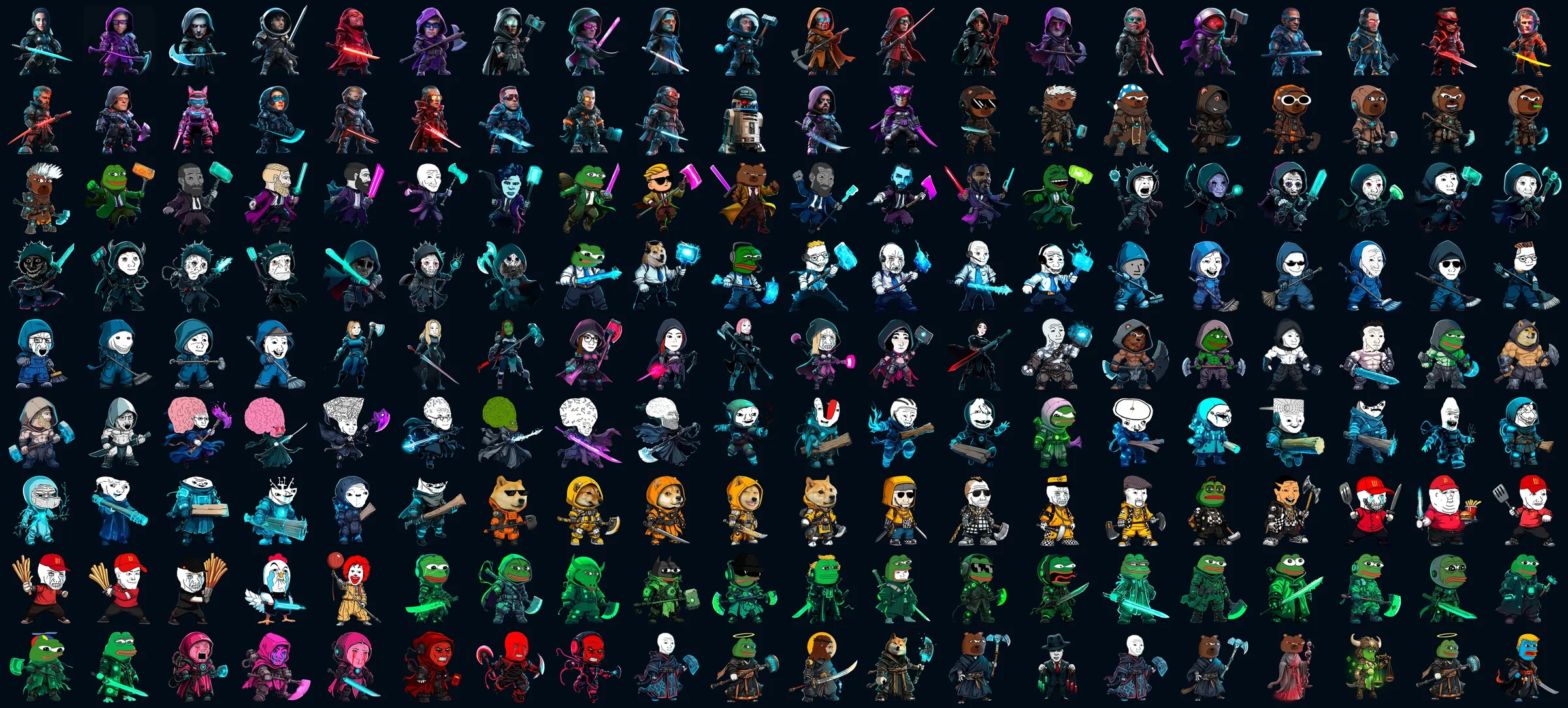
The game runs on irony about the crypto market. Heroes are split into two factions, just like the market itself: Bulls and Bears. Around them live memes from crypto culture, from an army of Pepe frogs to rug pull victims, as well as gods that embody the market’s fear and greed, and companion pets.
The characters were created and animated by our character & motion designer, and my job was to build them into the interface. Hero cards, rarity frames, stars and tiers live in the design system, so a new hero appears in the game without a layout made just for them.
Navigation
DeFight lives inside Dapp.expert. The crypto media site is the “city”, and the game is a widget on top of it: on desktop it opens as a panel beside the page, on mobile it takes the full screen. So navigation has two levels: the Dapp.expert header and the game’s own menu.
On mobile both levels are combined into one bottom tab bar. It stays the same from screen to screen, while the items adapt to the context: outside the game it shows Megaplex and My Hero, inside it shows Lobby, Storage and Market. Players move from the news to a battle and back in one tap.
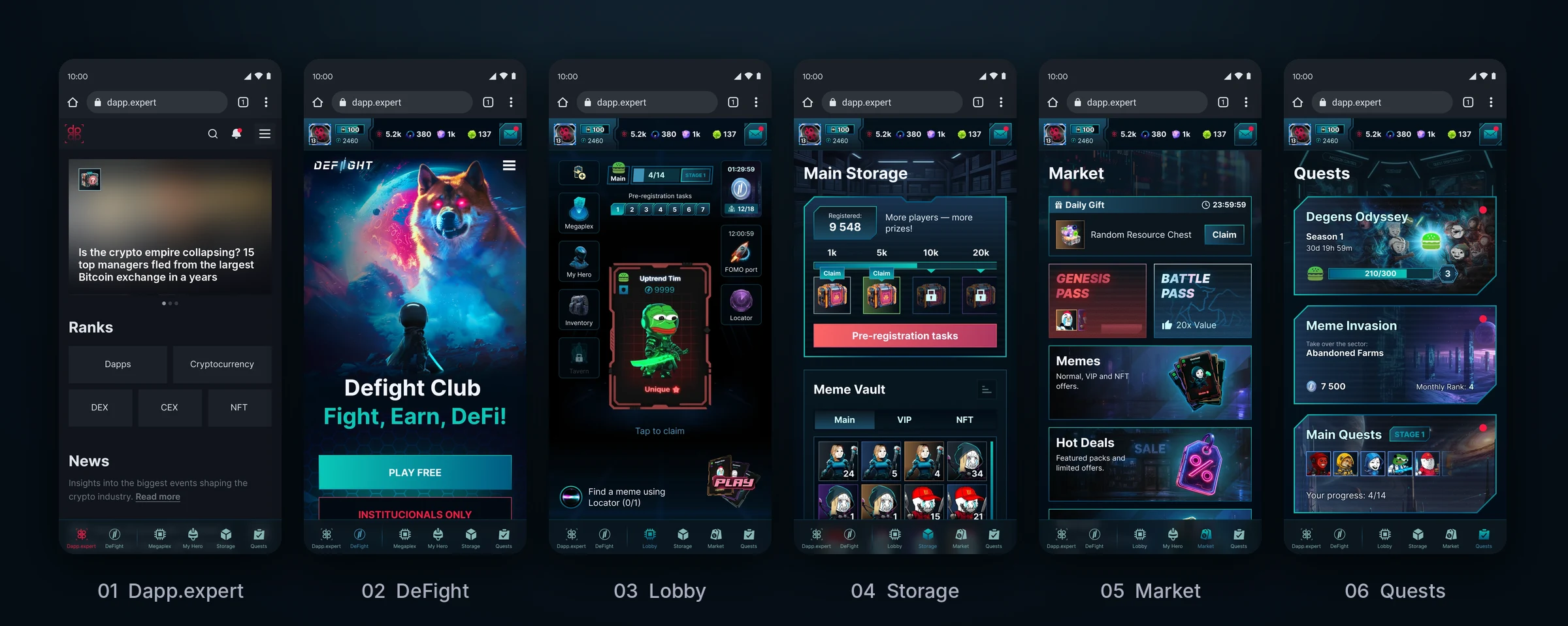
On desktop the widget has its own vertical rail with section icons and a header with the player’s resources, while the Dapp.expert page stays alongside. Switch sections to see how the same screen lives on desktop and on mobile.
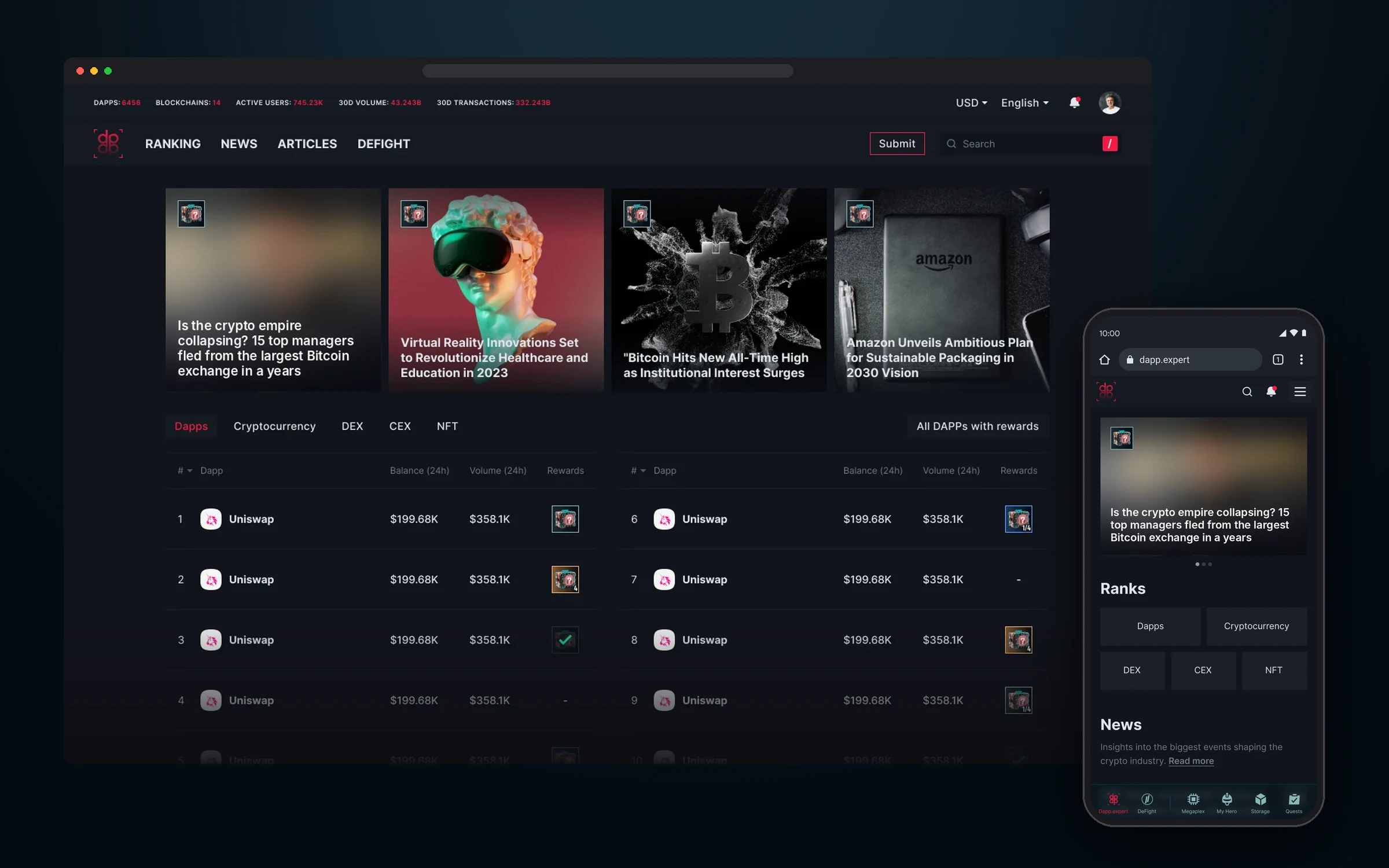
The entry point to the ecosystem: a crypto media site with DeFight in the main menu. On mobile the game’s tab bar is already at the bottom.
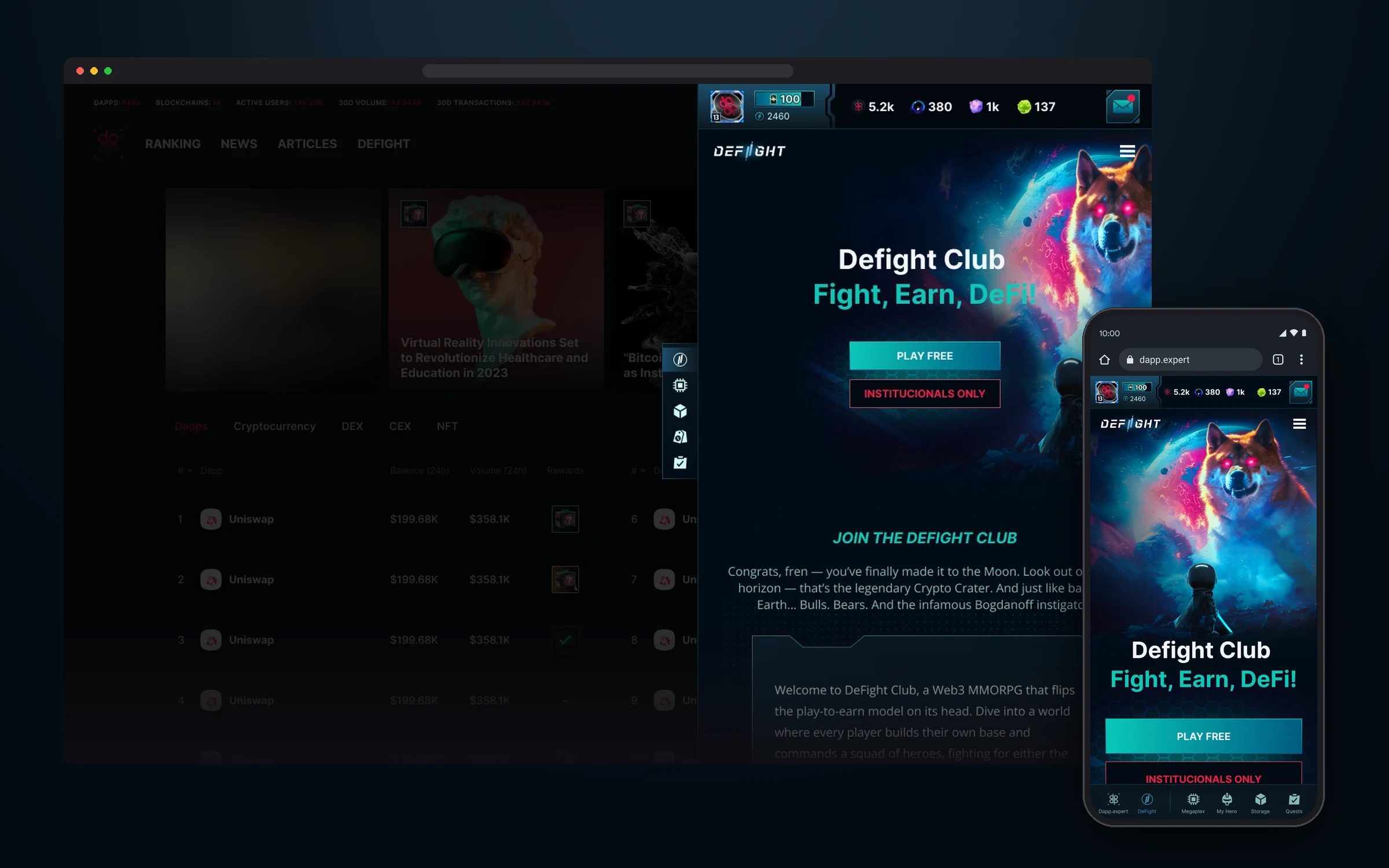
The game’s landing page. On desktop it opens as a widget on top of Dapp.expert, on mobile it takes the full screen.
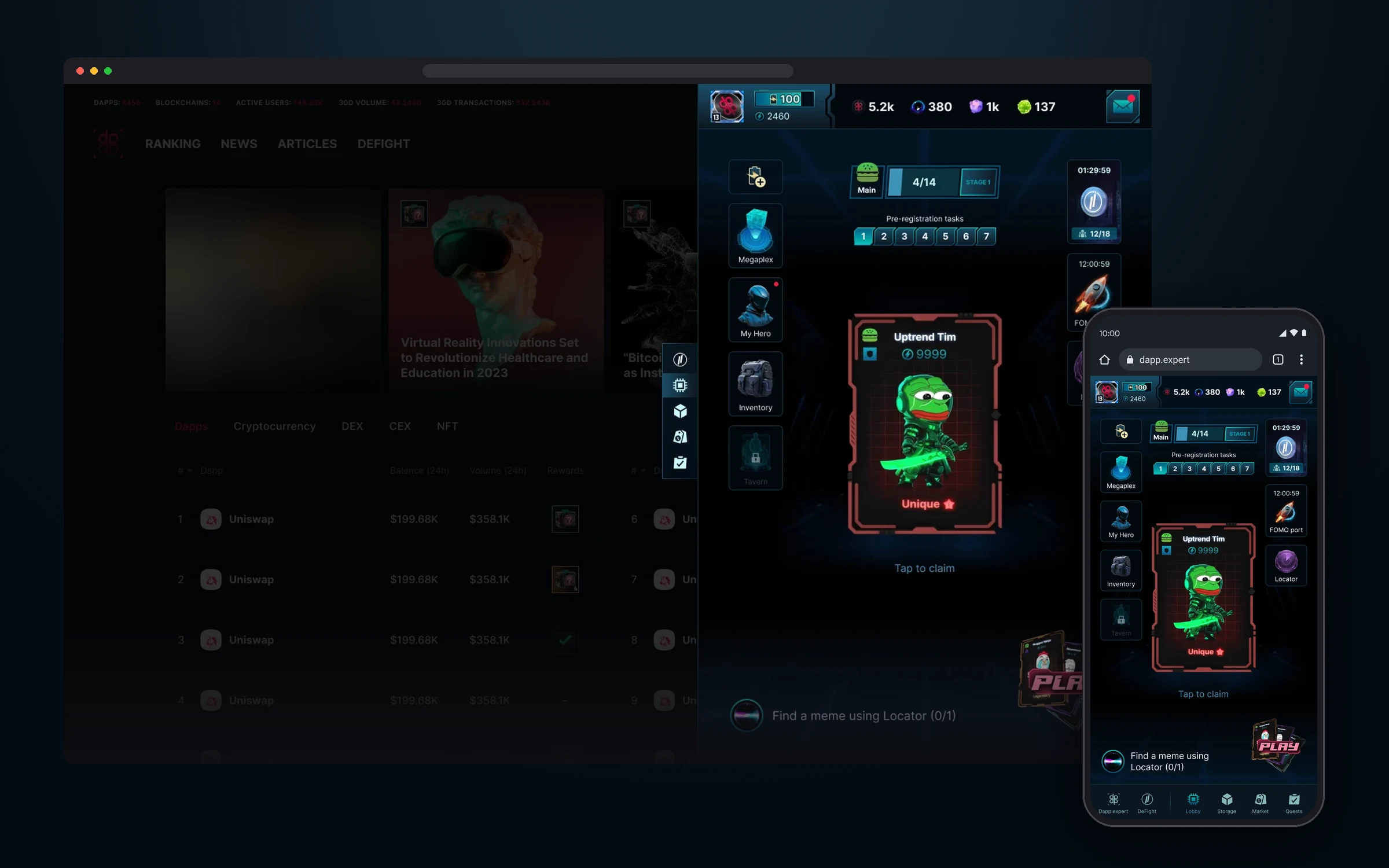
The game hub: Megaplex, hero, inventory, tavern, current quests and events. The player’s resources are always in the widget header.
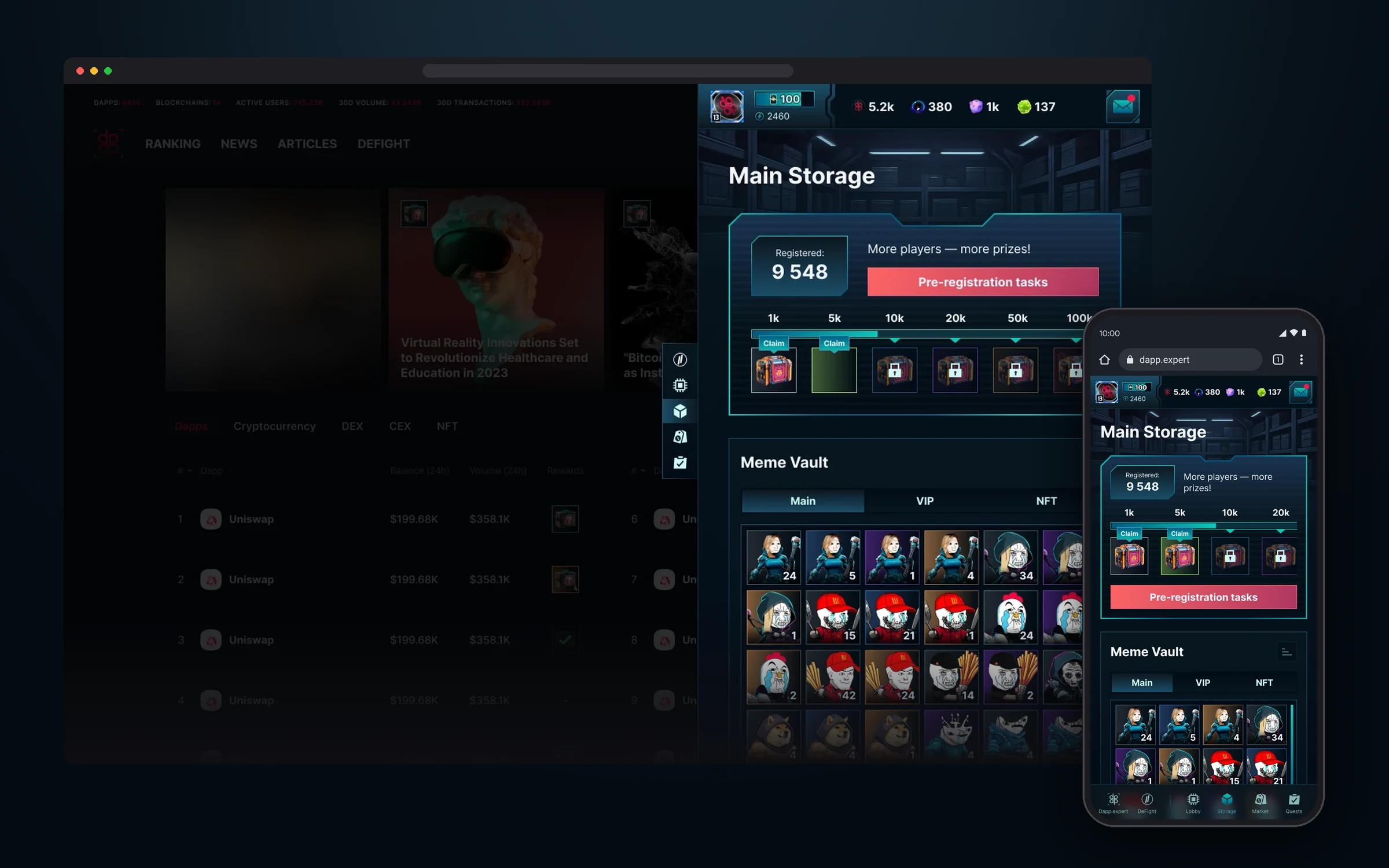
Storage: pre-registration rewards and the Meme Vault with regular, VIP and NFT memes.
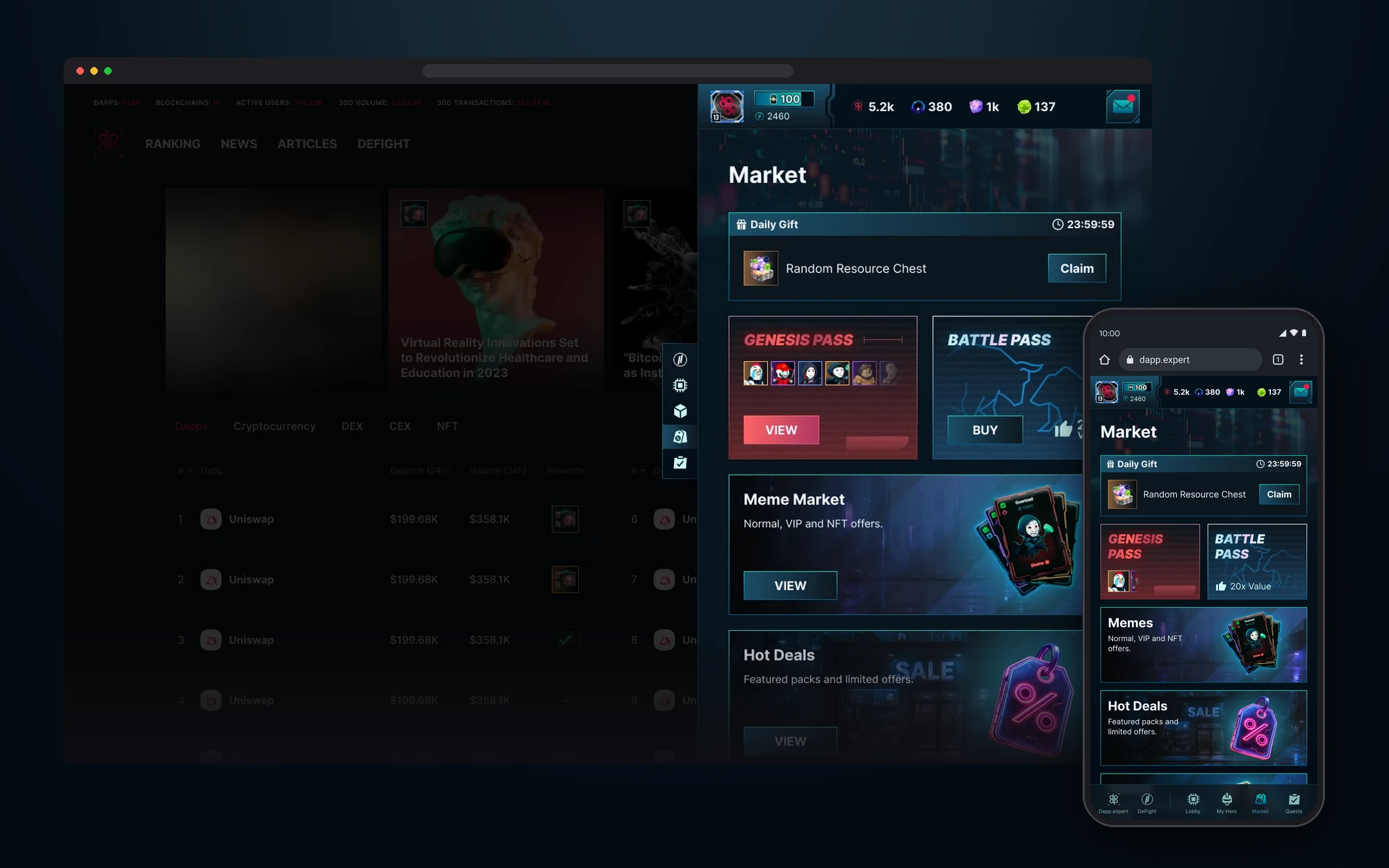
The shop: a daily gift, Genesis and Battle Pass, memes, hot deals and heroes.
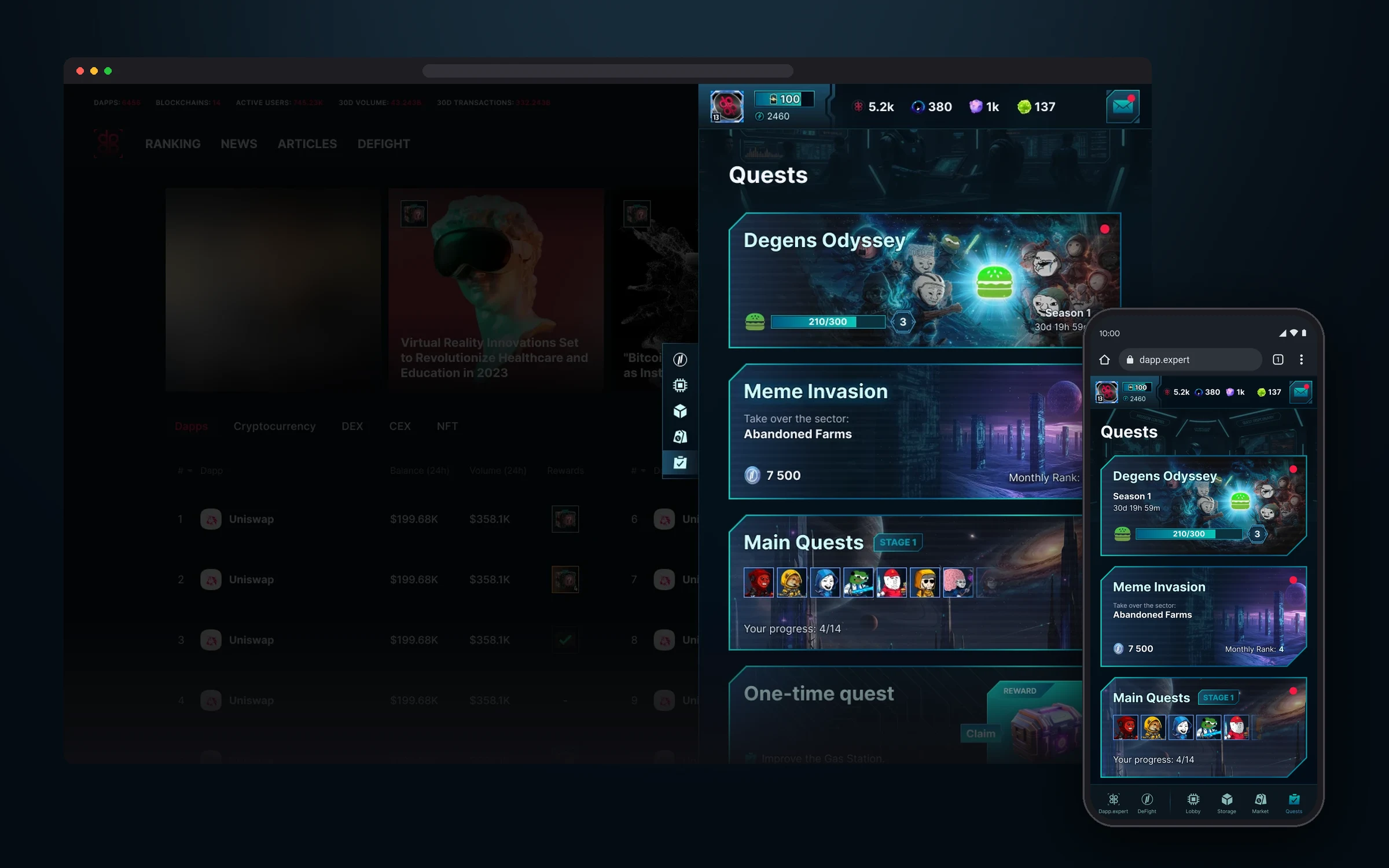
Quests: the Degens Odyssey season, Meme Invasion, main and one-time tasks.
Landing page
In a few screens, the landing page had to explain to a newcomer what the game is and bring them into it. The first screen says “Defight Club: Fight, Earn, DeFi!” and has one main action: play for free.
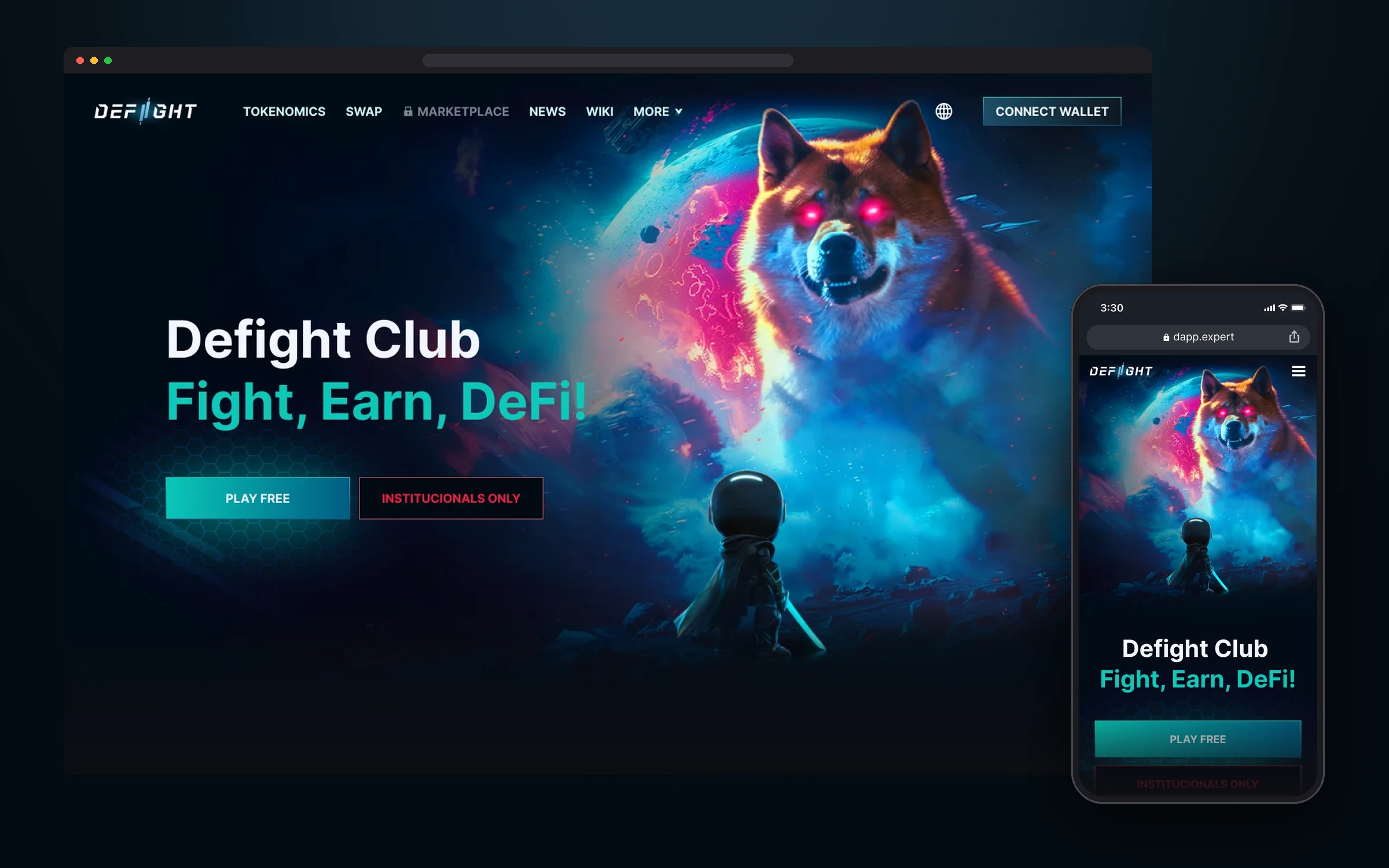
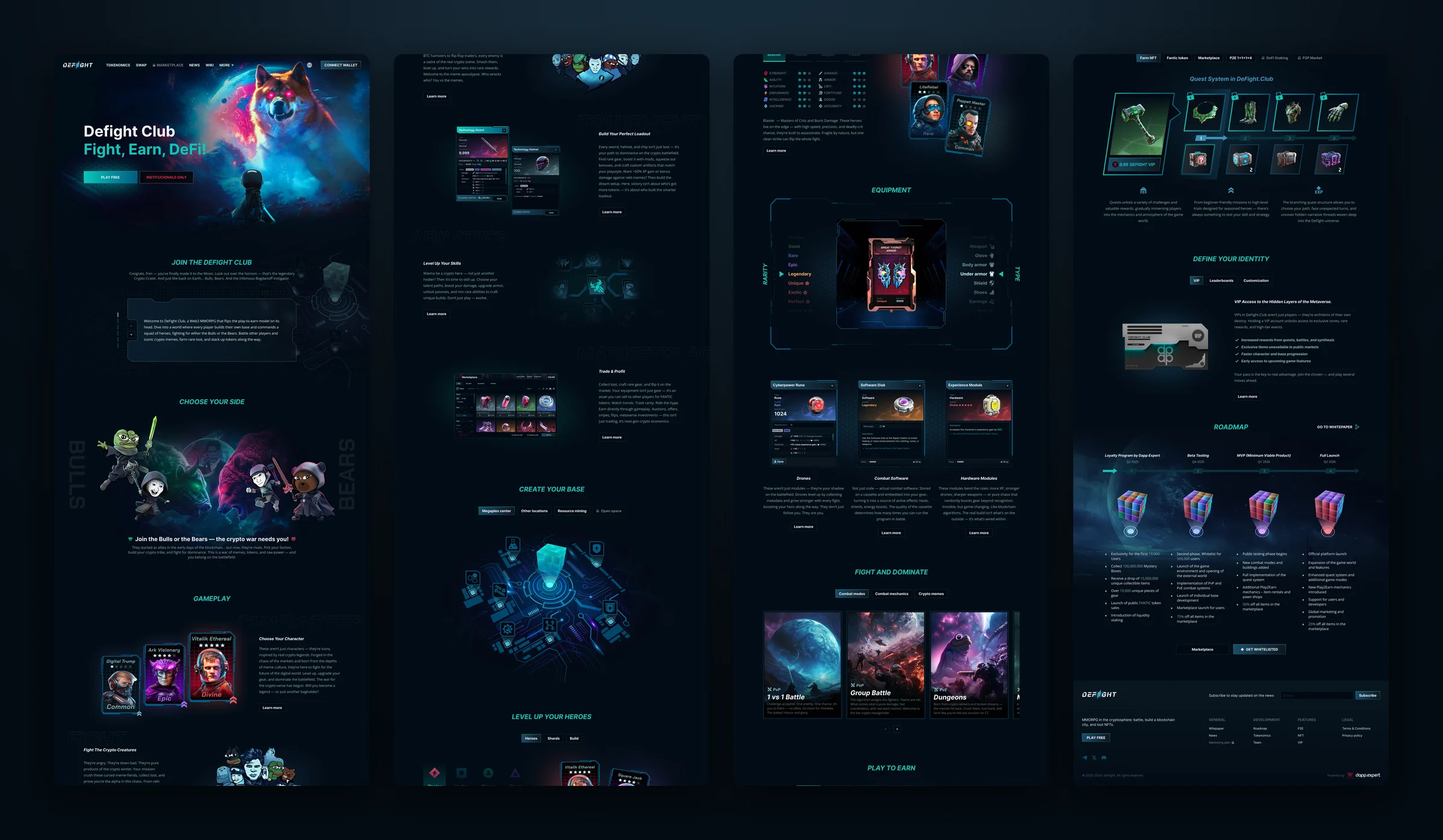
Then the page takes the player down the same path as the game: pick a side, Bulls or Bears, build a hero, put on gear, go into battle and earn. Every section shows real interface elements from the design system, so the landing page and the game look like one whole.
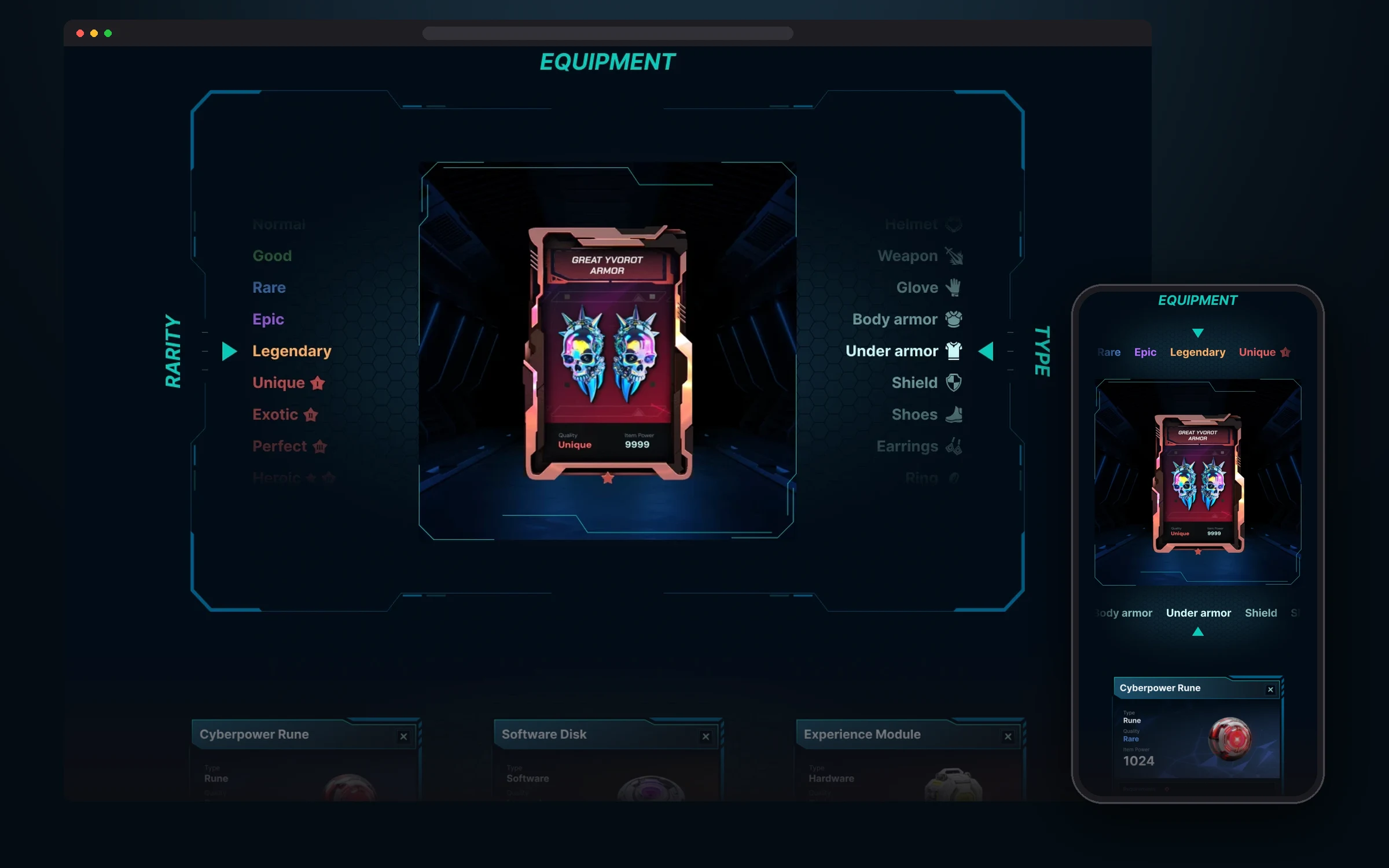
The most noticeable section is gear. Players scroll through rarity on the left and item type on the right and instantly see how the card changes. On mobile both scales turn into horizontal strips above and below the card.
Lobby
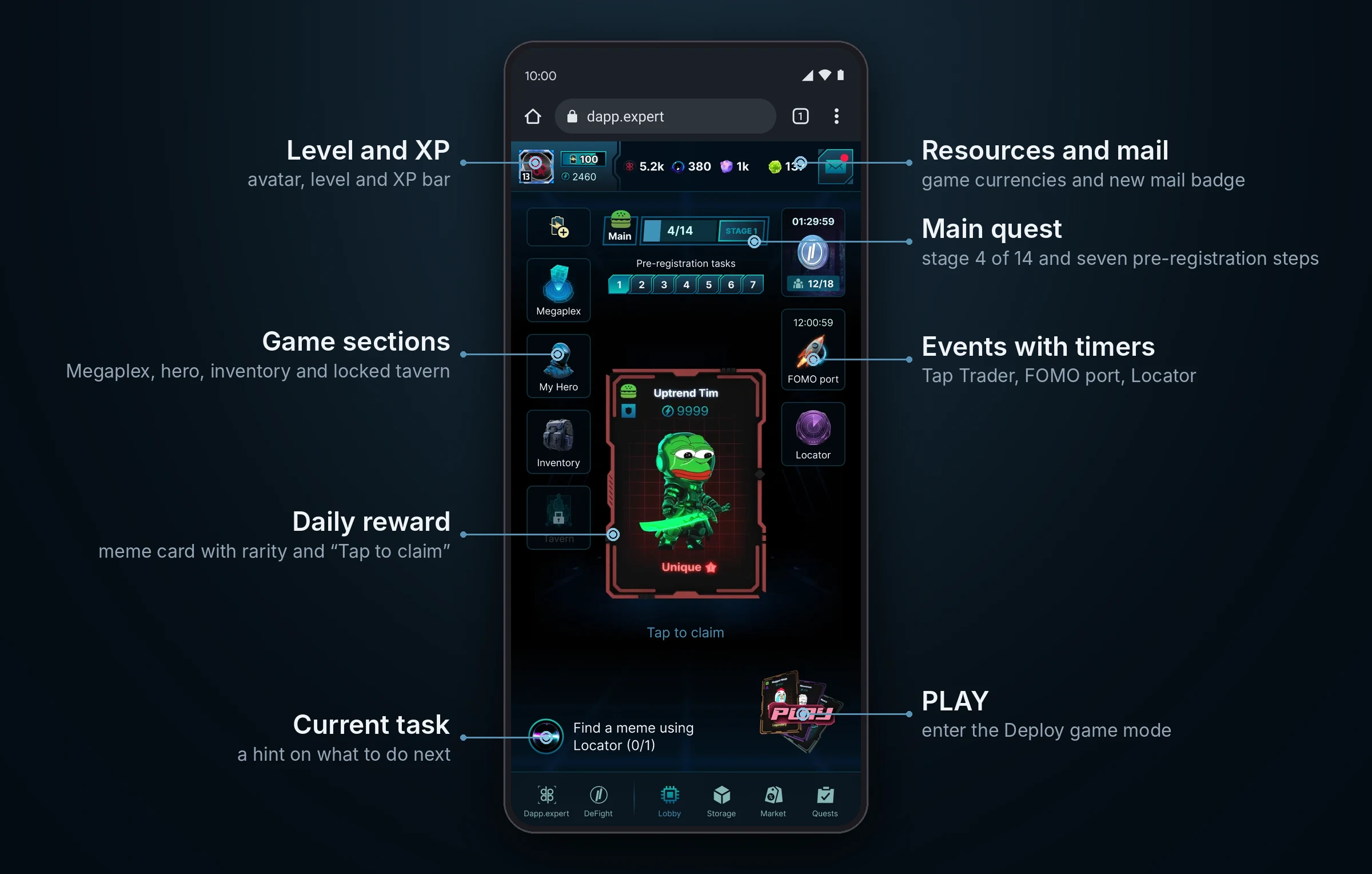
The lobby is the game’s main hub, where the player starts every session. All activities and their statuses are gathered on one screen: level and resources, main quest progress, events with timers, a reward that’s ready to claim and a hint on what to do next. Players don’t have to look for what changed while they were away: everything is visible at a glance.
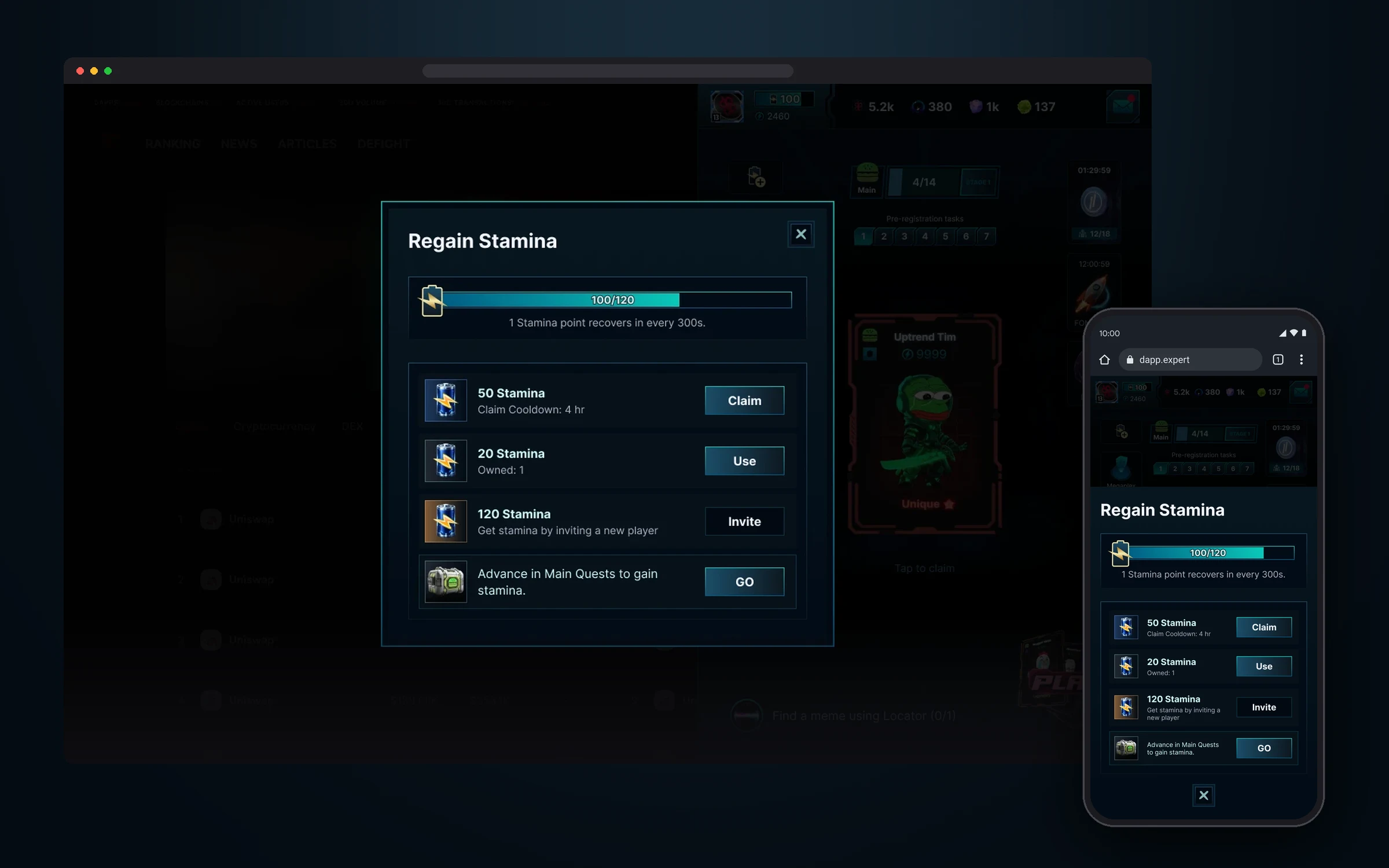
Game modes spend stamina, so the lobby has a separate flow for it. The bar shows the reserve and the recovery rate, with four ways to refill next to it: claim a free portion every 4 hours, use a saved charge, invite a friend or advance in the main quest. On desktop it’s a popup over the widget, on mobile a full-screen sheet.
Deploy mode
The PLAY button in the lobby leads to Deploy, the main game mode. A round has three steps: the player picks the memes to “deploy”, starts the round and places memes on a grid of multipliers while the price chart runs. The farther a cell is from the chart’s current point, the higher its multiplier, so the bigger the risk and the reward. Rarity matters too: the rarer the meme, the more points it can score.
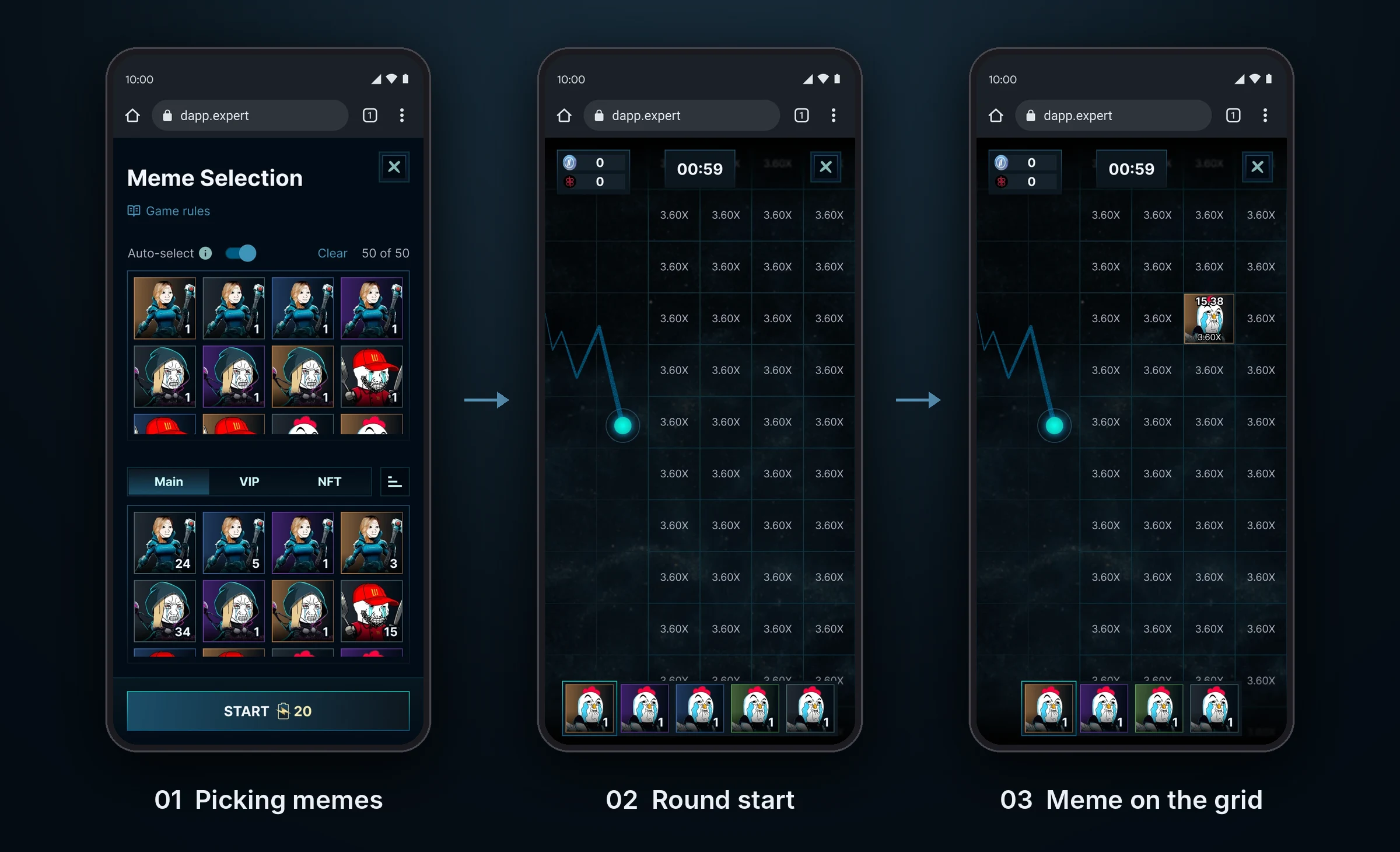
The challenge was to fit a live game into a widget. Picking memes takes one screen: the round squad on top with auto-select and a 50 of 50 counter, the Meme Vault below with Main, VIP and NFT tabs, and the round price written right on the START button. During a round the screen shows only the chart, the grid, the timer and a tray of the chosen memes, nothing extra.
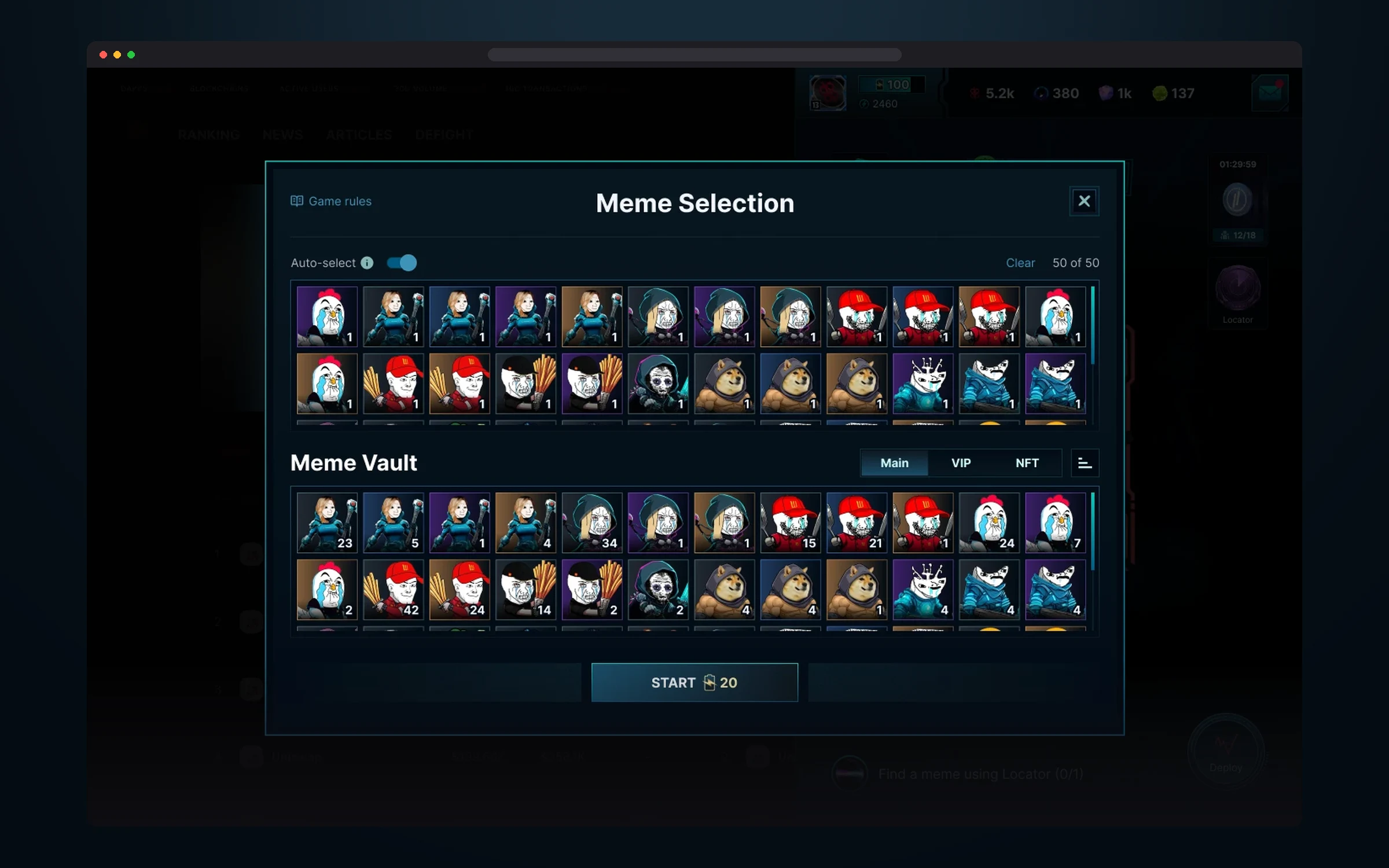
The round squad and the whole Meme Vault in one window. Auto-select builds a squad of 50 memes for the player, and the START button shows what the round costs.
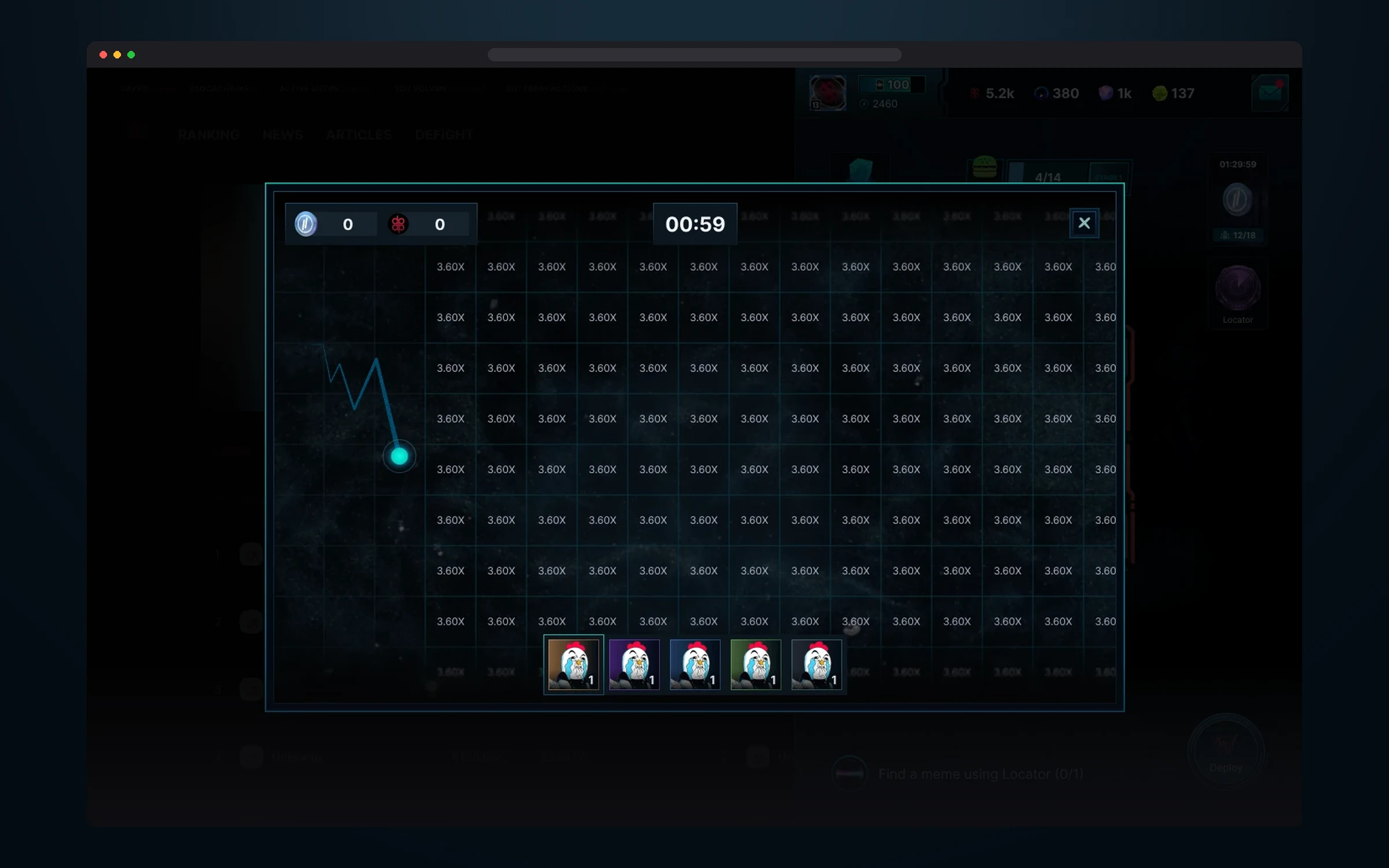
A round lasts a minute. The price chart runs on the left, the multiplier grid is on the right: the farther from the chart, the bigger the multiplier. The meme tray is at the bottom.
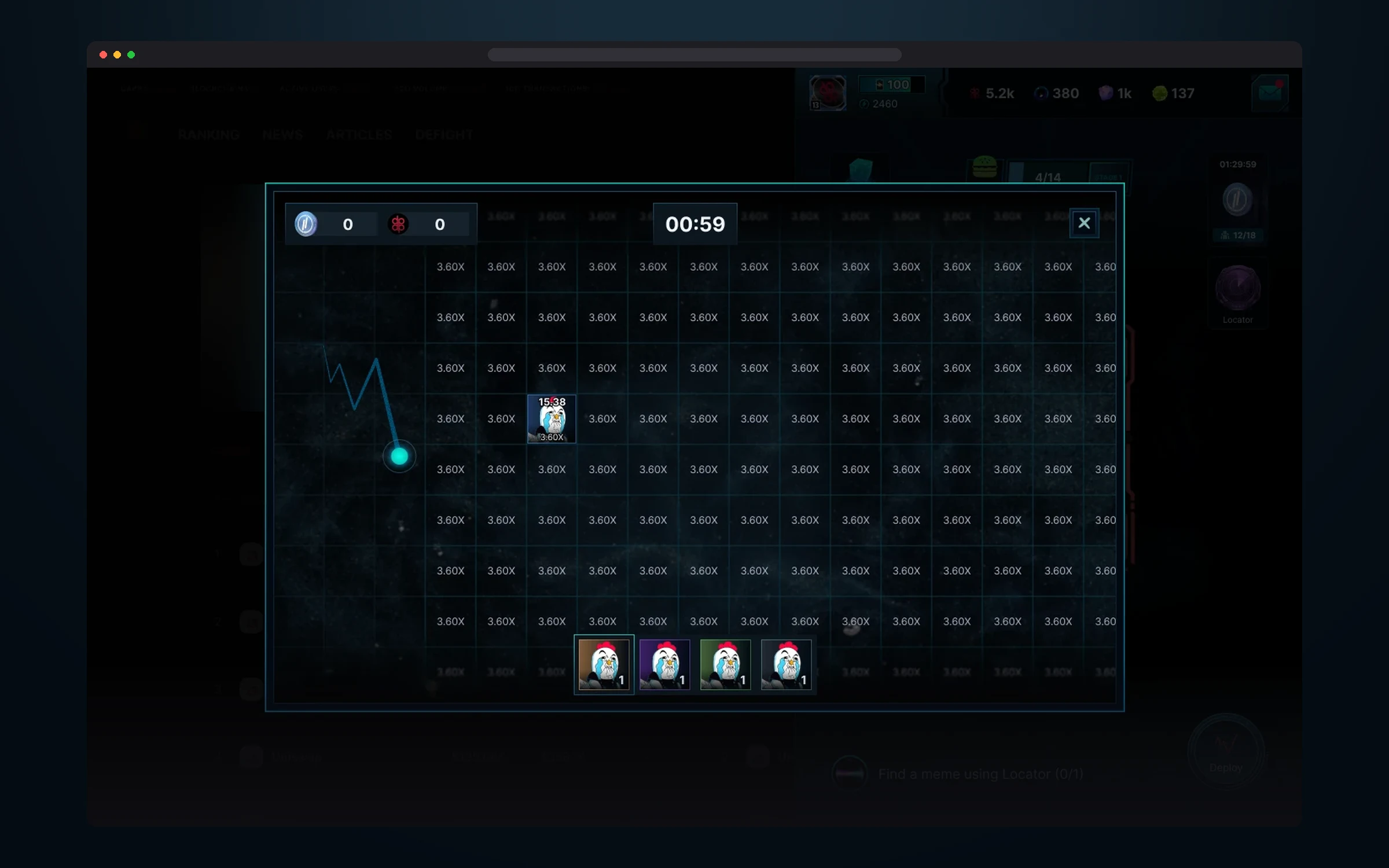
The player places a meme on a cell, and it instantly shows how many points it scored.
FOMO Port
FOMO Port is a game of nerves: whoever launches the last rocket wins. Every launch puts the player in first place and adds 5 seconds to the round, so the timer never lets you relax. When the countdown hits zero, the top 100 get prizes: 5,000 for first place, 2,500 for second, 1,000 for third and 200 for everyone else. Players earn rockets in other game mechanics or buy them.
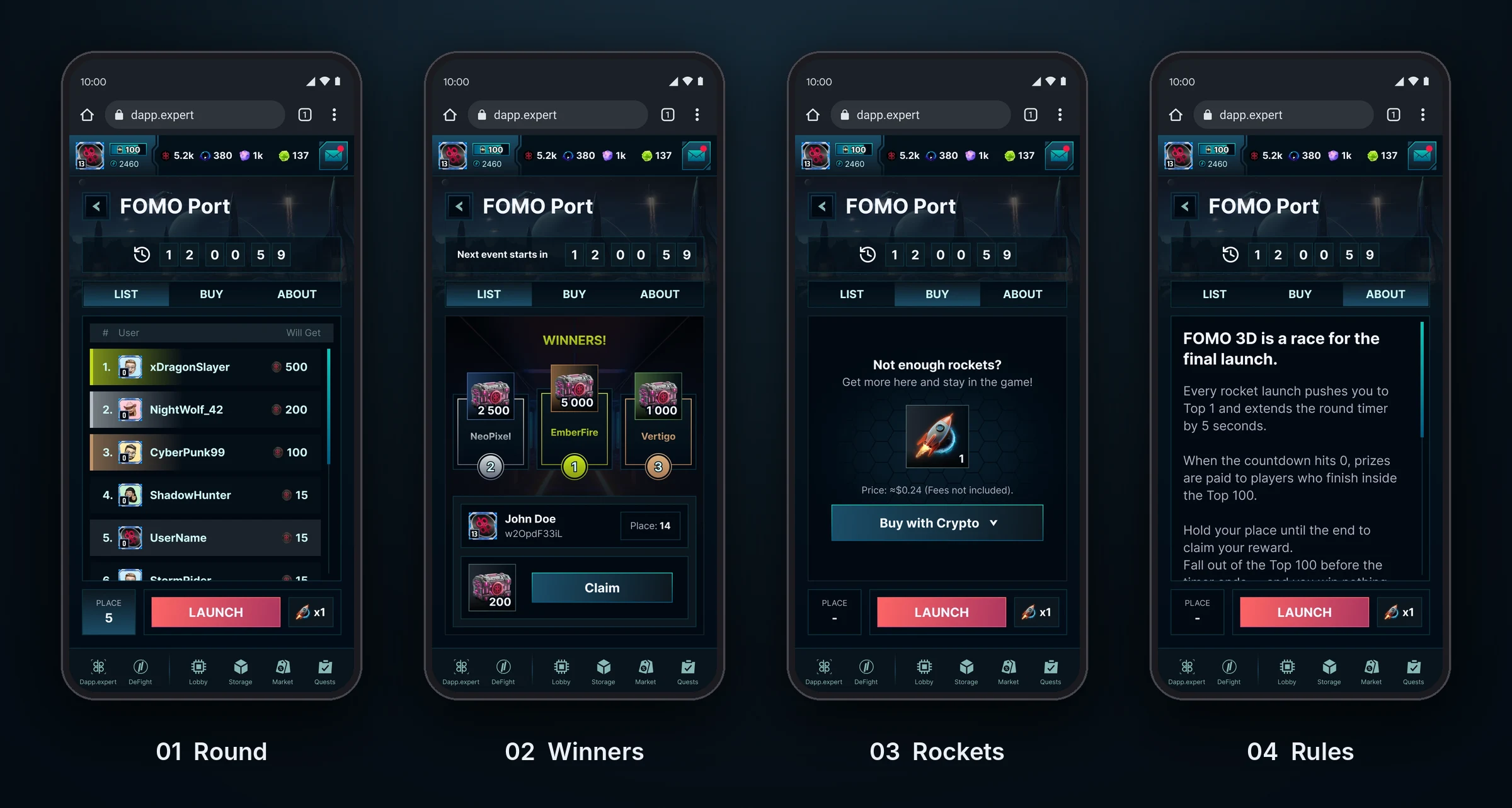
The whole mode fits on one screen with three tabs: the player list, buying rockets and the rules. The timer and the big LAUNCH button with the rocket count are always in place, with the player’s current position next to them. When the round ends, the same screen shows the winners’ podium and the player’s reward with a Claim button.
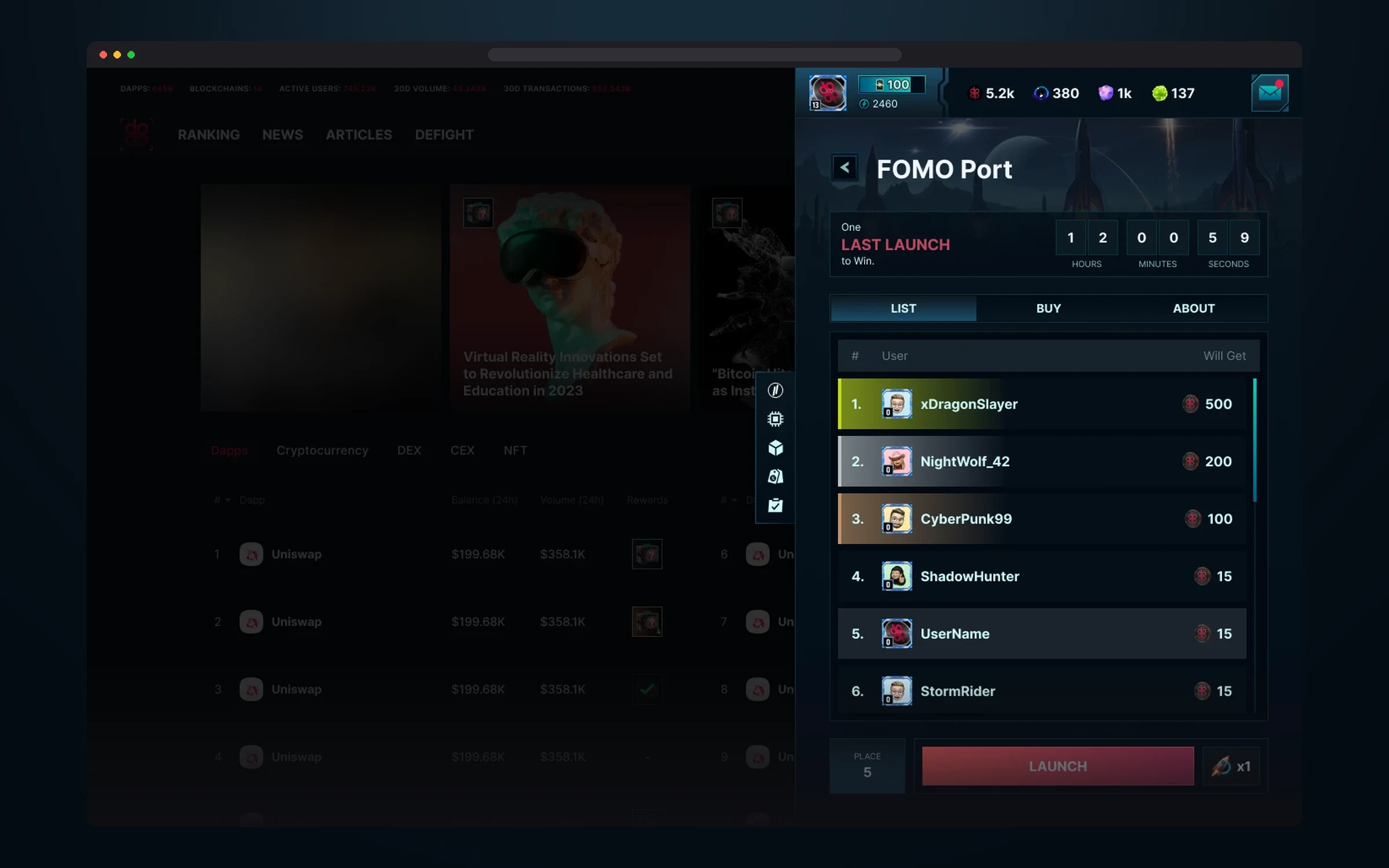
“One LAST LAUNCH to Win”: the timer, a table with prizes for each place, the player’s position and the launch button.
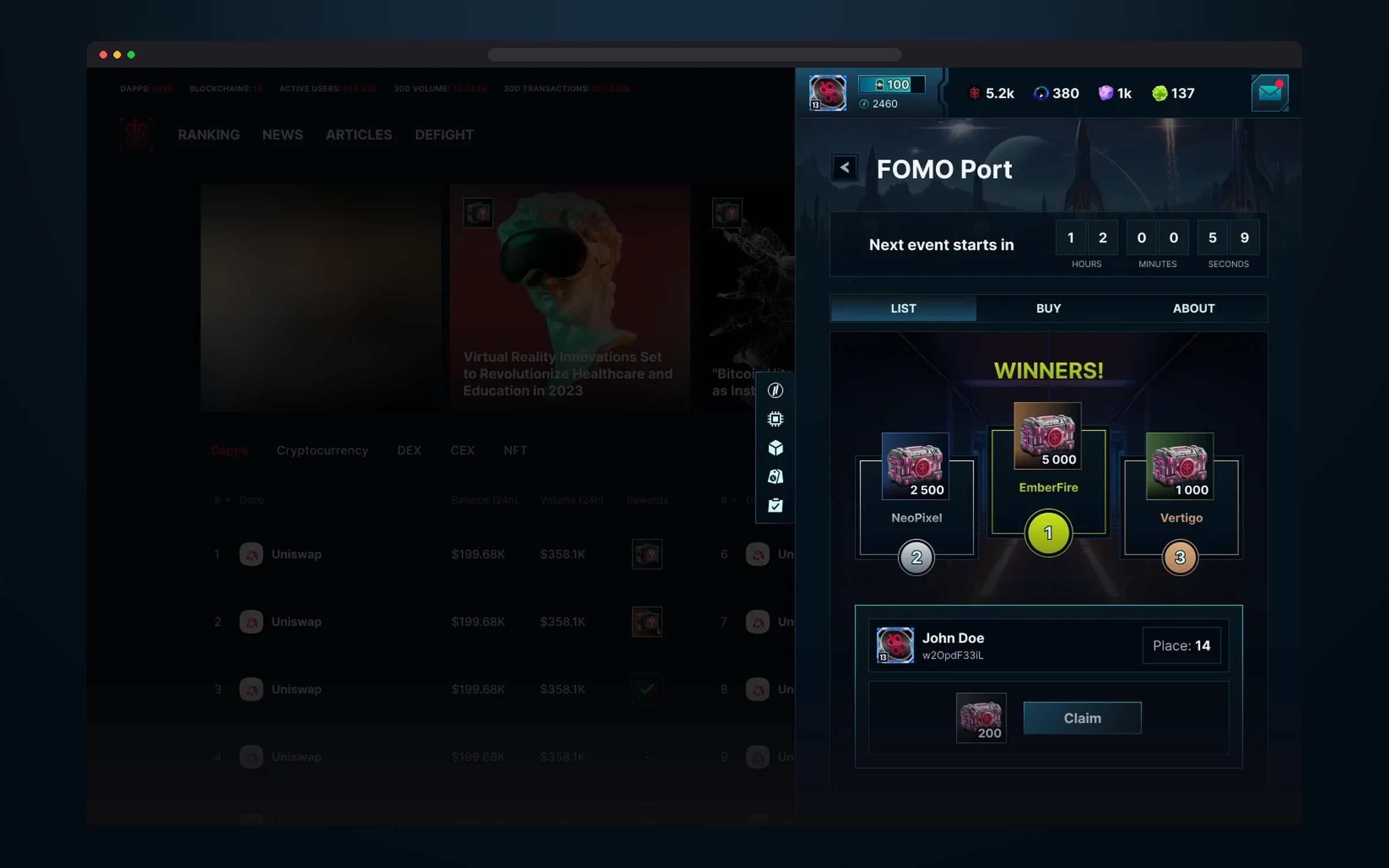
A podium of three winners, the player’s place and reward, and a timer to the next round.
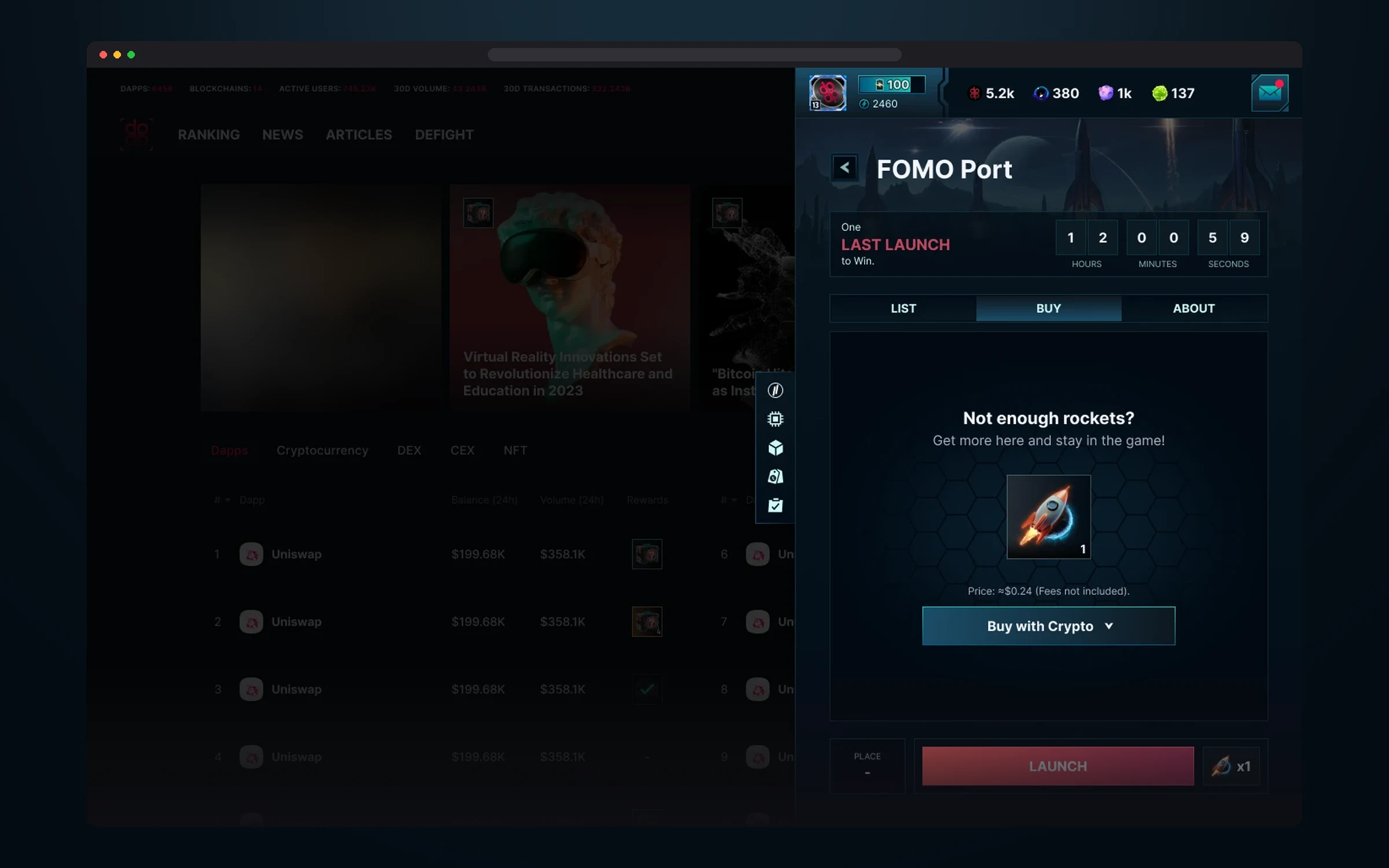
If rockets run out, the player can buy more without leaving the round.
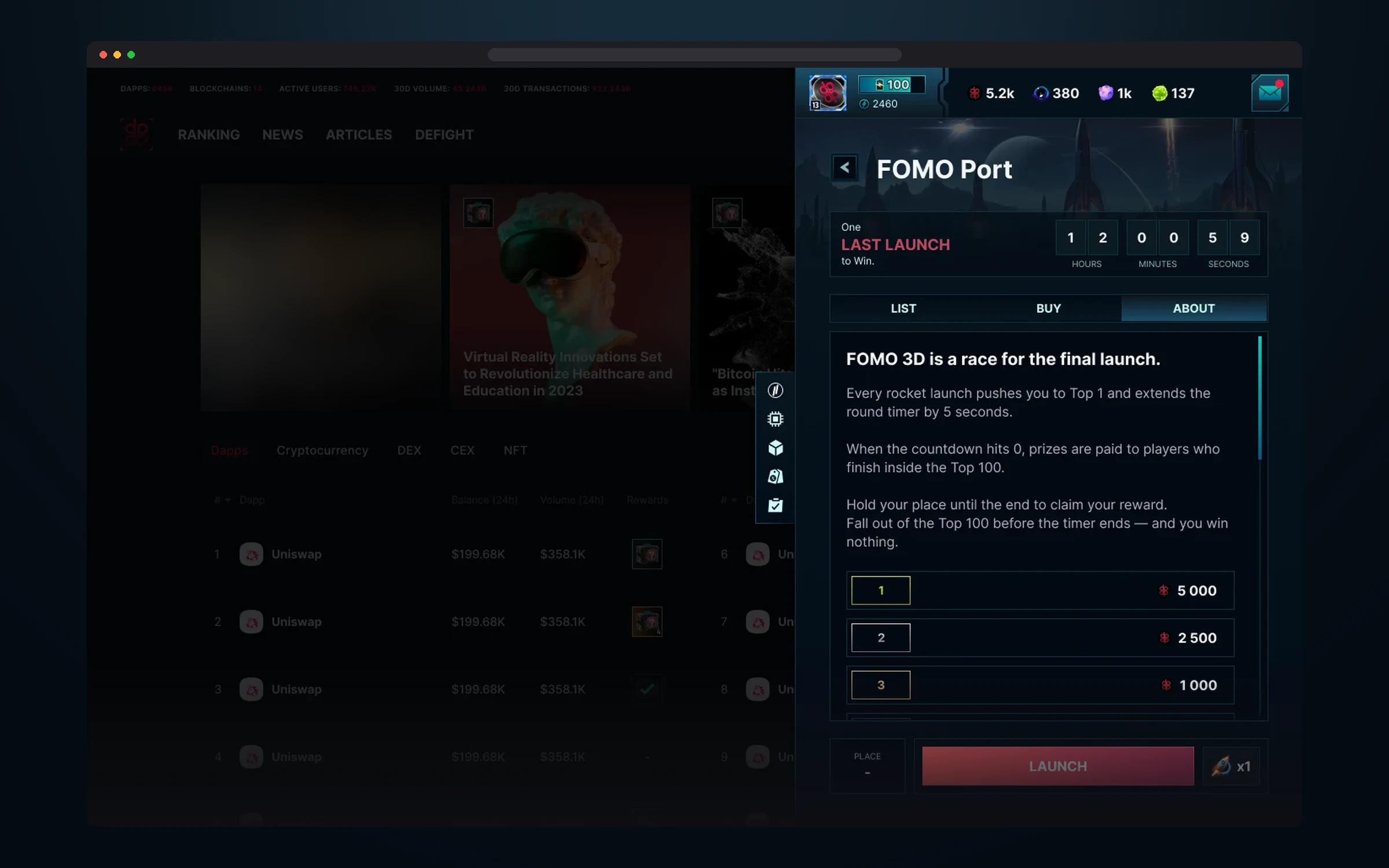
The game rules and the prize table for the top 100.
Megaplex
Megaplex is the player’s main base, the long game outside the rounds. It holds buildings that smelt weapons and raise their level, stations that mine resources and technologies to research. Everything rests on the Hypercube: upgrading it unlocks new features and buildings, and buildings are upgraded with the resources the base mines: Dark matter, Lunar soil and Cosmic gas.
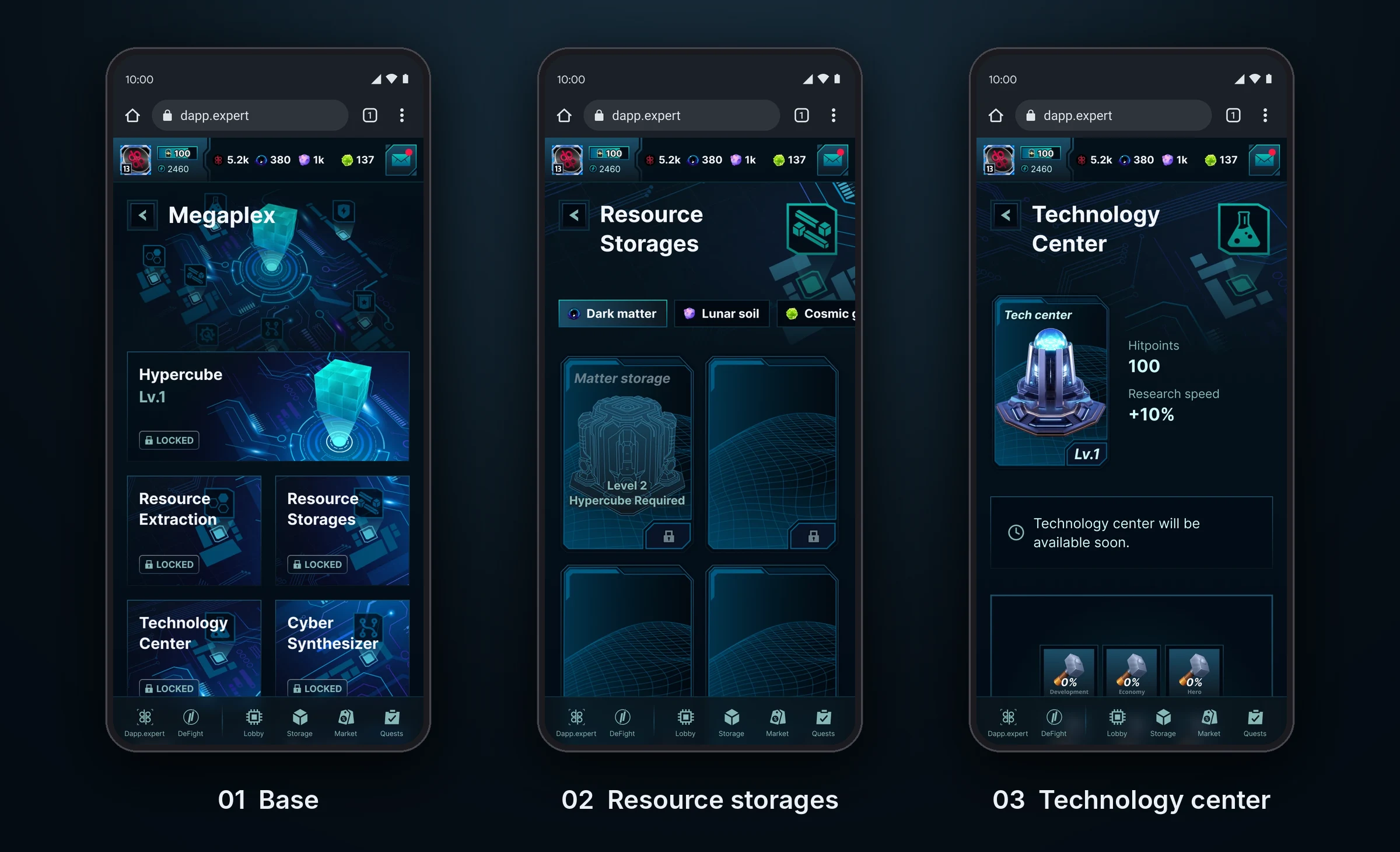
The base has many buildings, and there will be even more over time, so every building is the same card with a status, and every building screen is built from the same blocks: a card with level and stats, resource tabs, slots with requirements. Locked buildings already stand on the map marked LOCKED, so the player sees what they’re working toward.
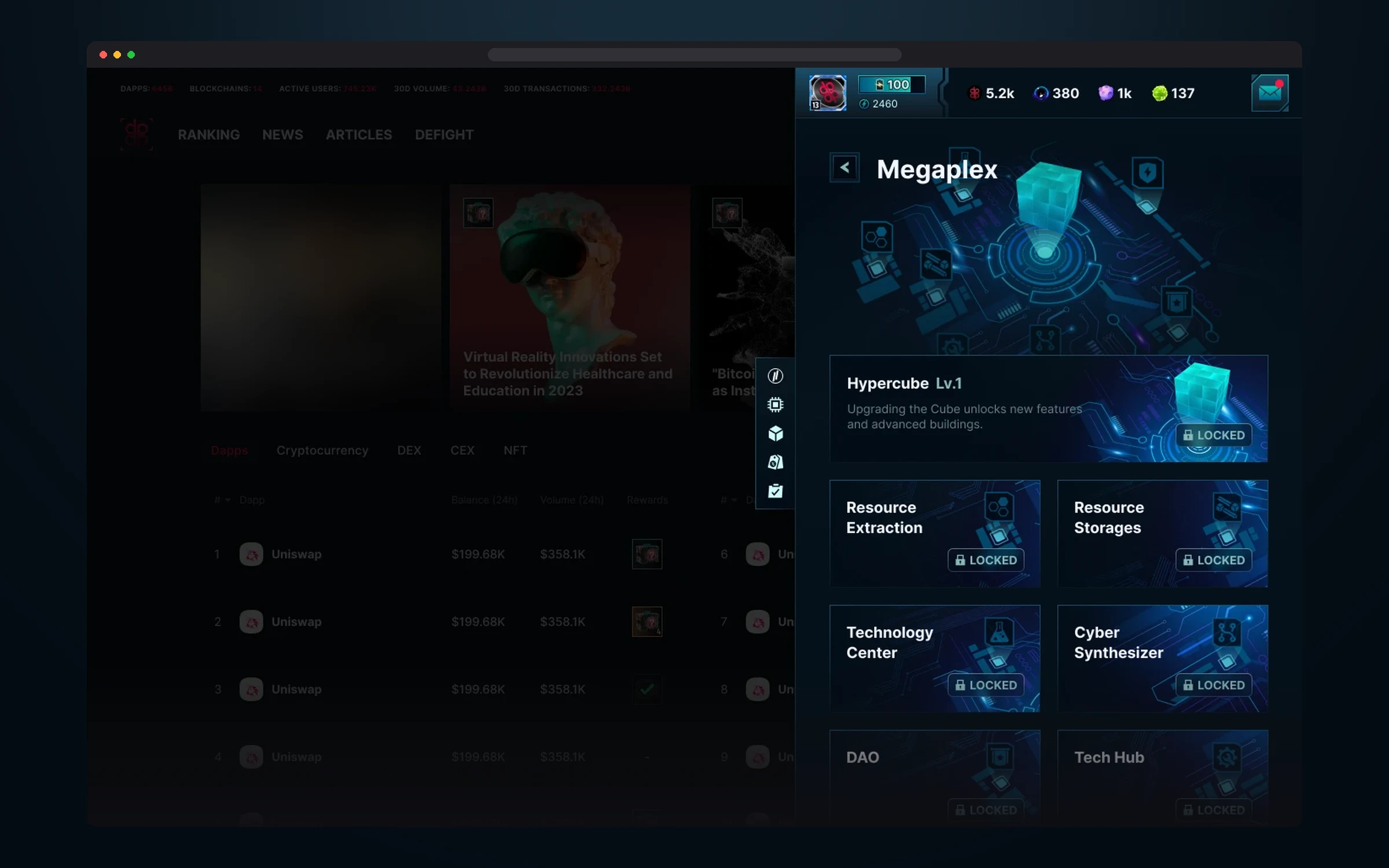
The Hypercube and a grid of buildings: resource mining and storages, the technology center, Cyber Synthesizer, DAO and Tech Hub.
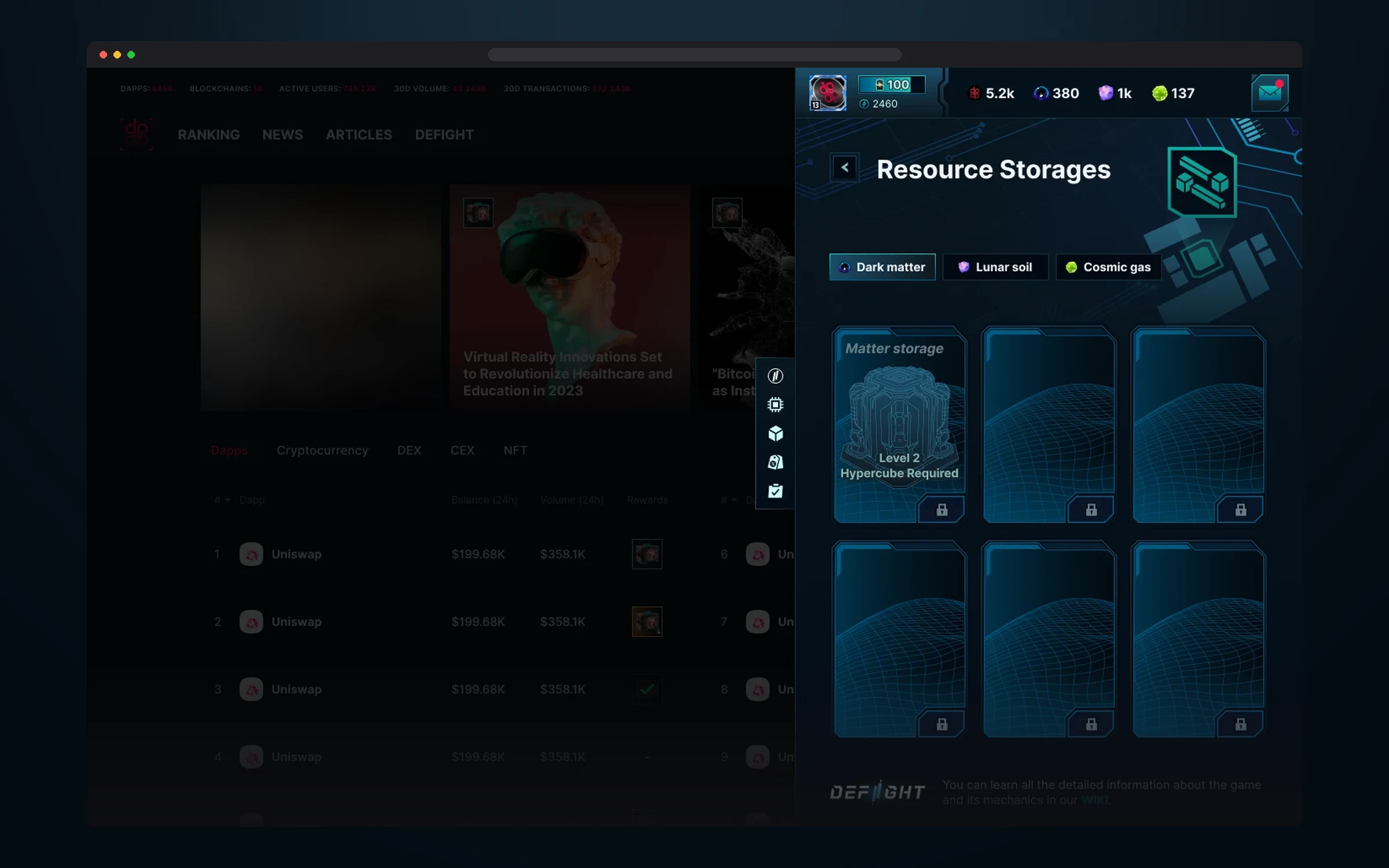
Tabs for the three resources and storage slots. Each slot shows what it takes to unlock, for example a level 2 Hypercube.
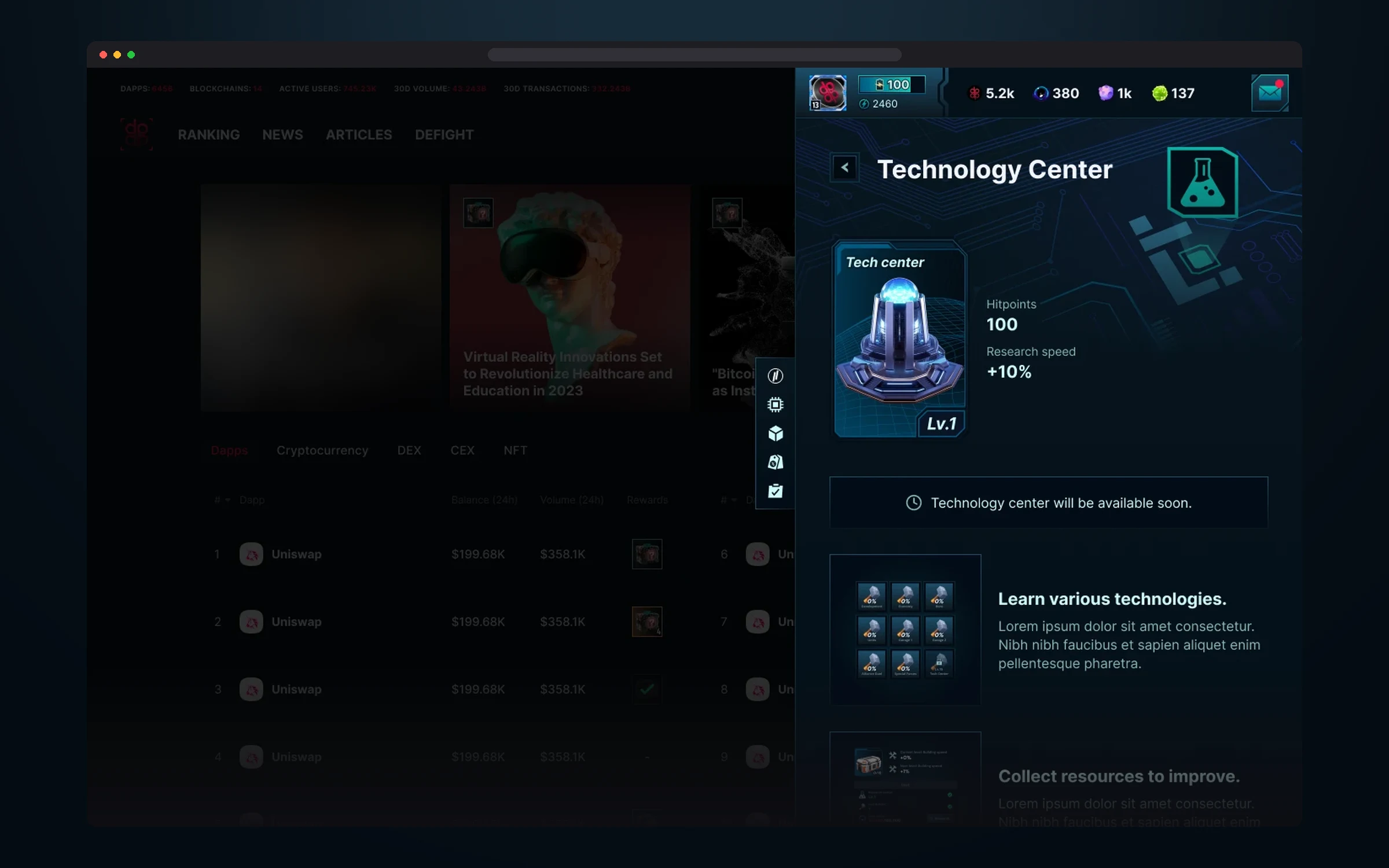
A building with level, durability and research speed, with technology slots and their progress below.
My Hero
My Hero is the page where the player manages their hero: puts on gear, levels up the hero and their stats, unlocks abilities, and in the Tavern builds a hero collection and summons new ones. Almost every game system meets here: items, cards, resources and rarity.
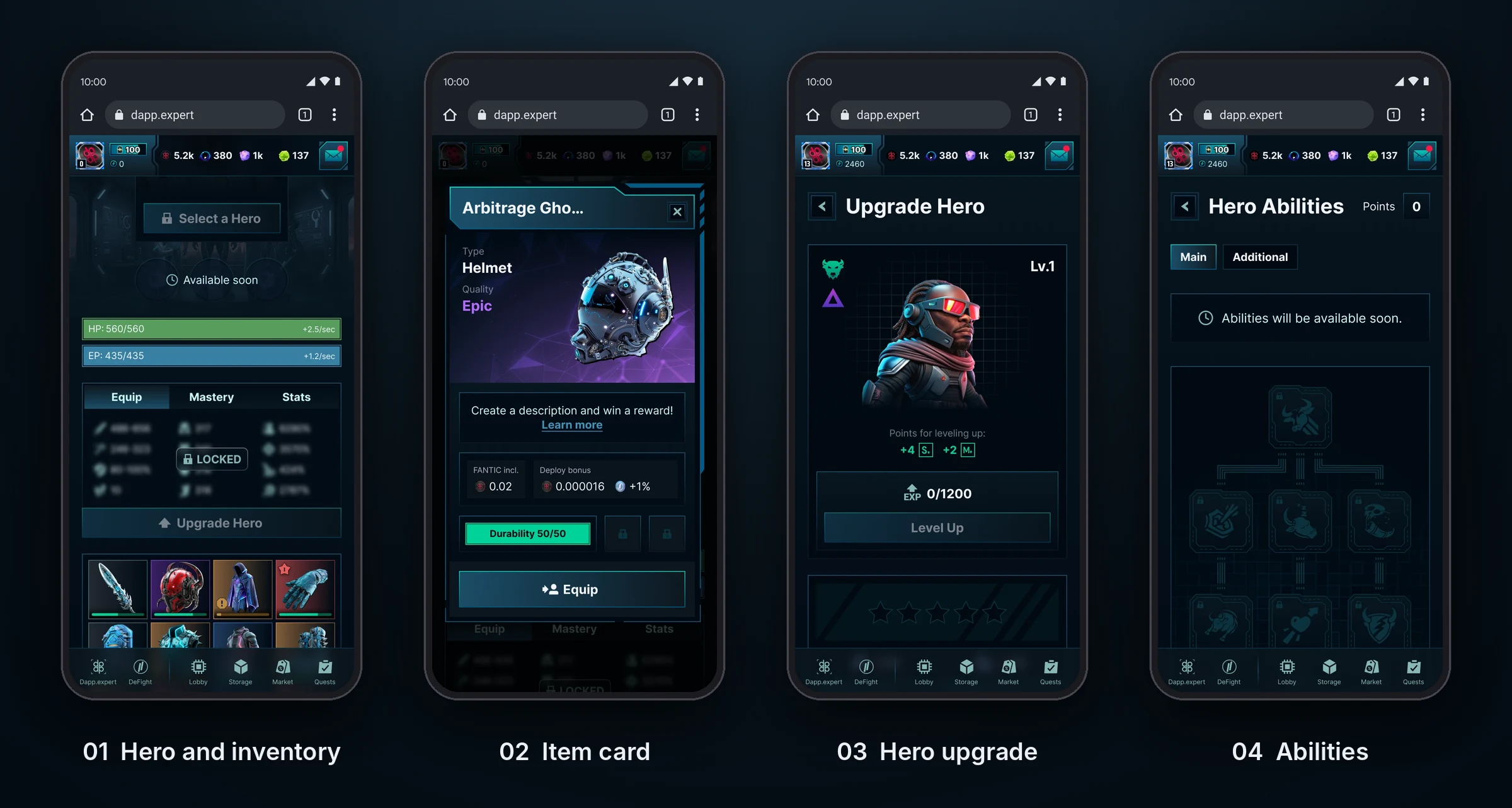
The hero screen combines two tasks that usually live apart: gear and inventory. At the top is the hero with HP and EP bars and Equip, Mastery and Stats tabs, below is the whole inventory with filters and an estimate of its market value. An item opens in the same card as everywhere else in the game, with durability and a Deploy bonus, so the player doesn’t have to learn a new interface.
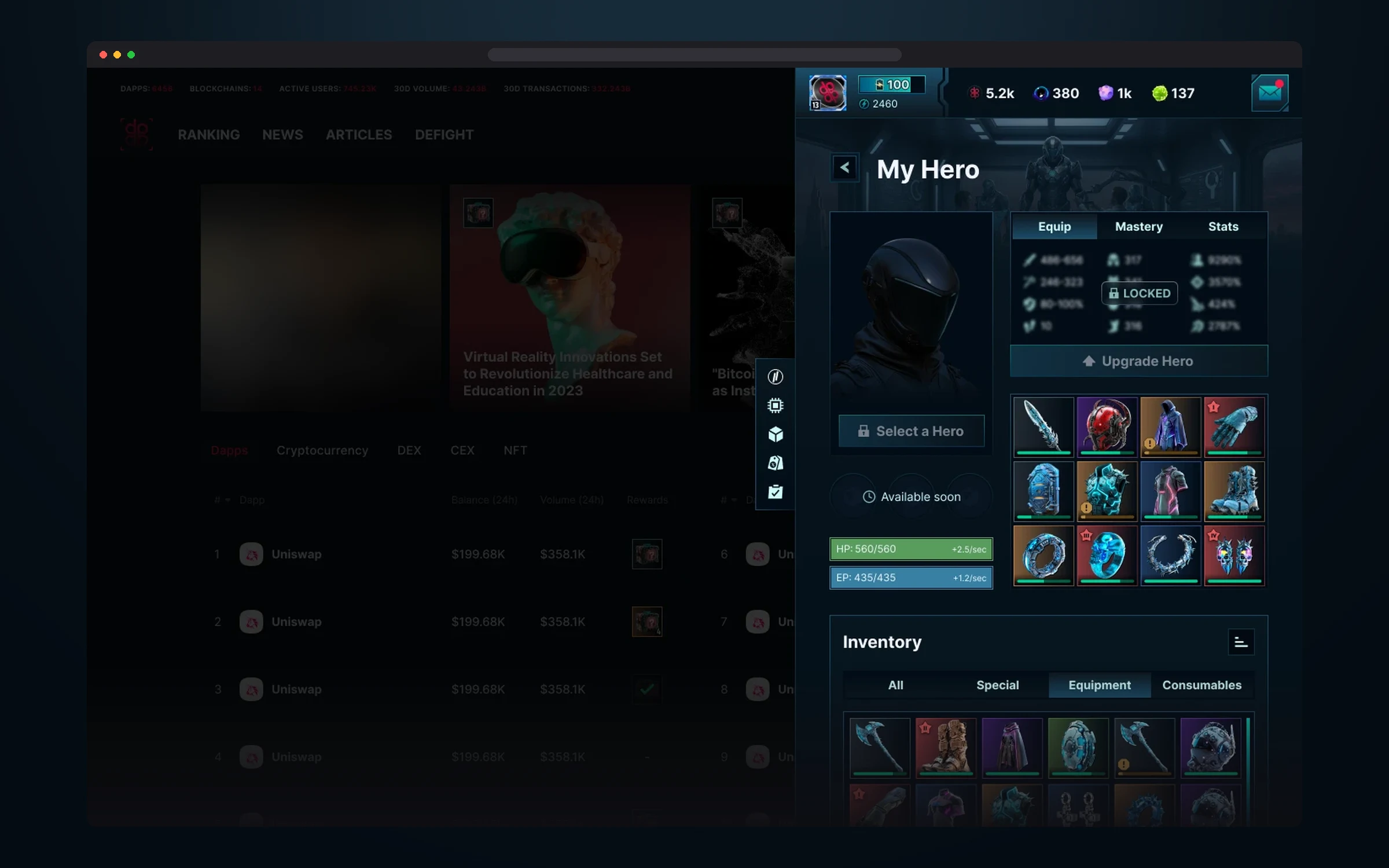
The hero, their bars and gear slots, with the inventory next to them in All, Special, Equipment and Consumables tabs.
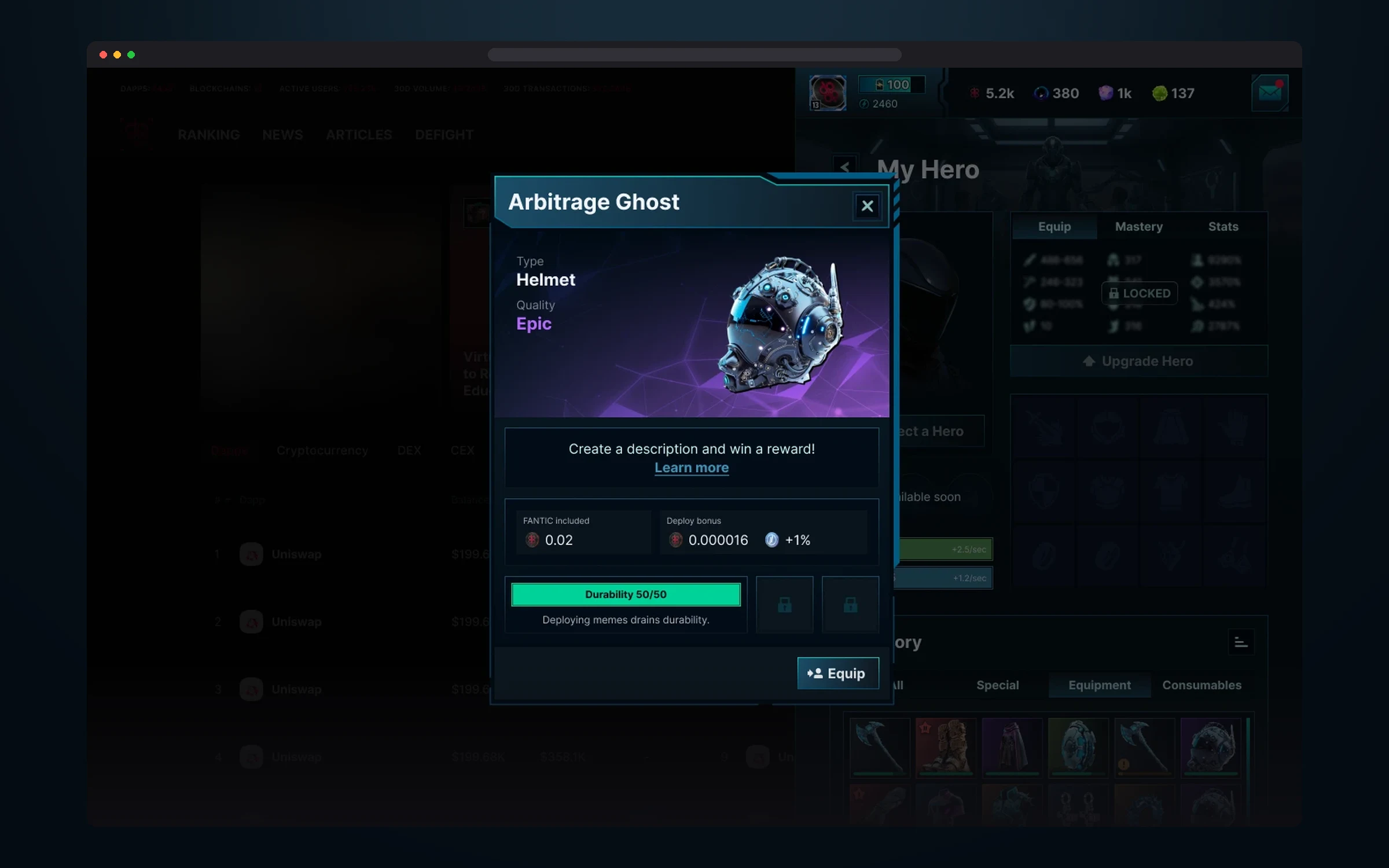
Type, quality, Deploy bonus and durability, which drops as the player deploys memes. One button: equip.
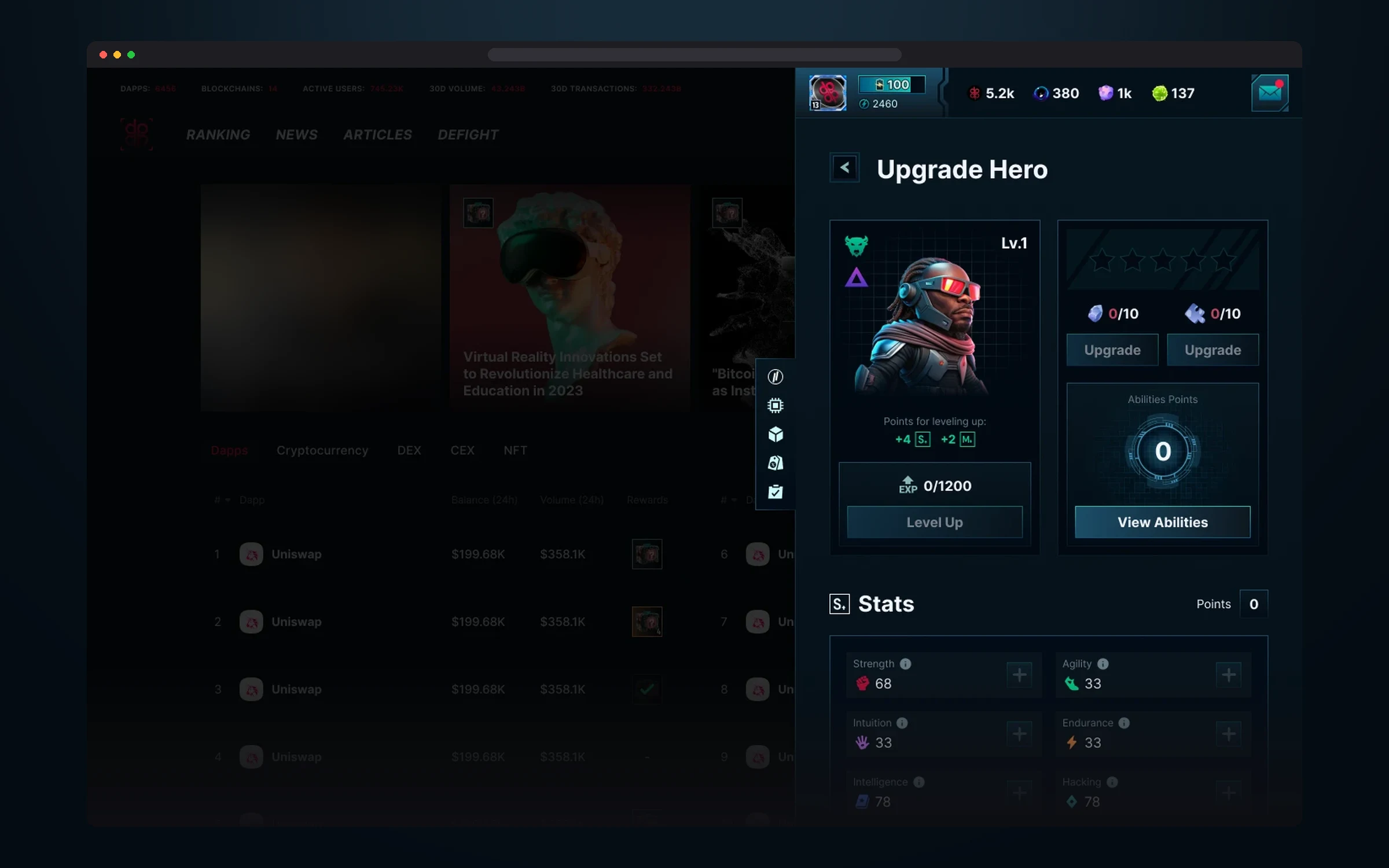
Level and experience, stat points, hero stars and ability points. Below are six stats, each can be raised separately.
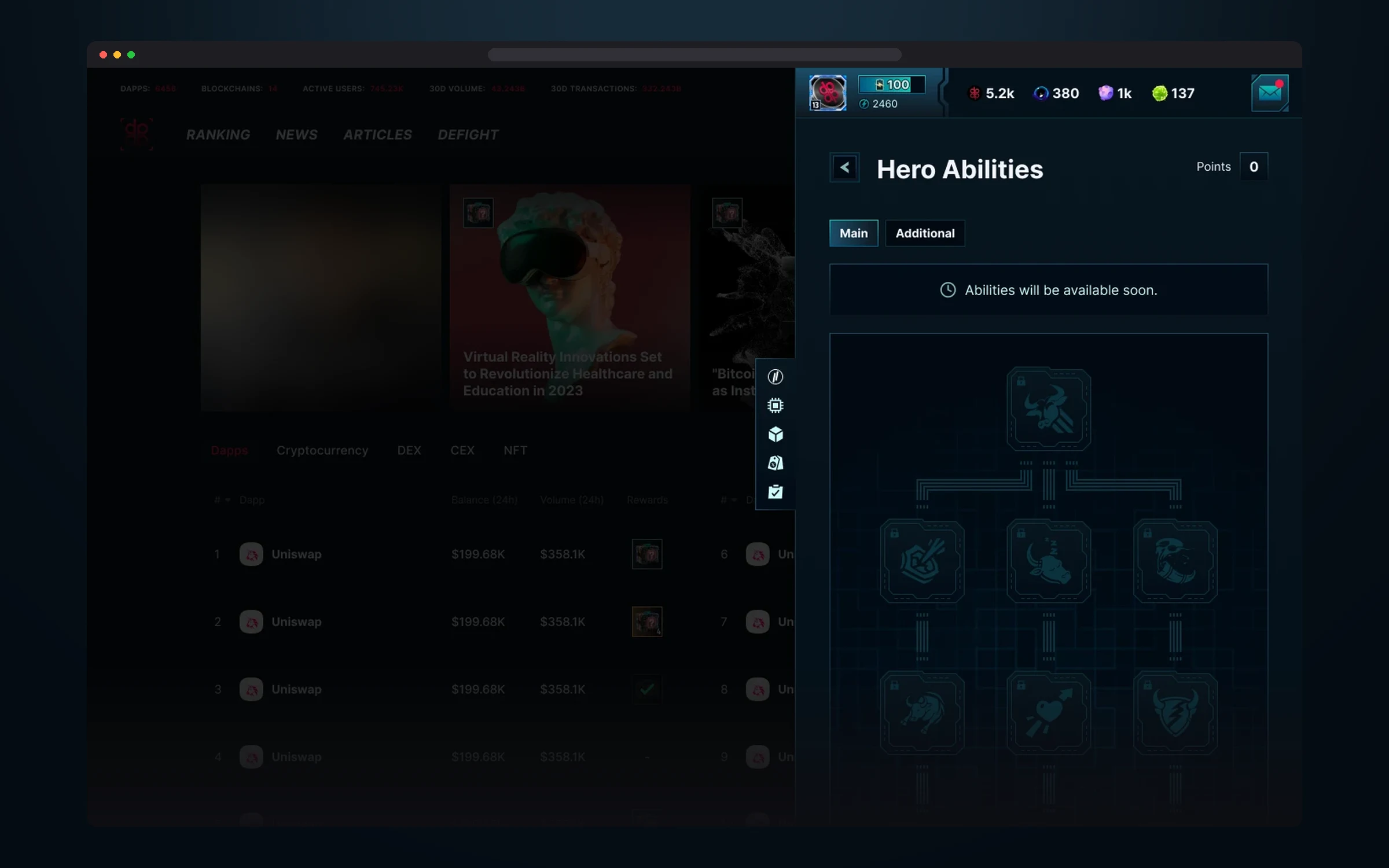
An ability tree with a main and a secondary branch. While it’s still in development, the player already sees its shape.
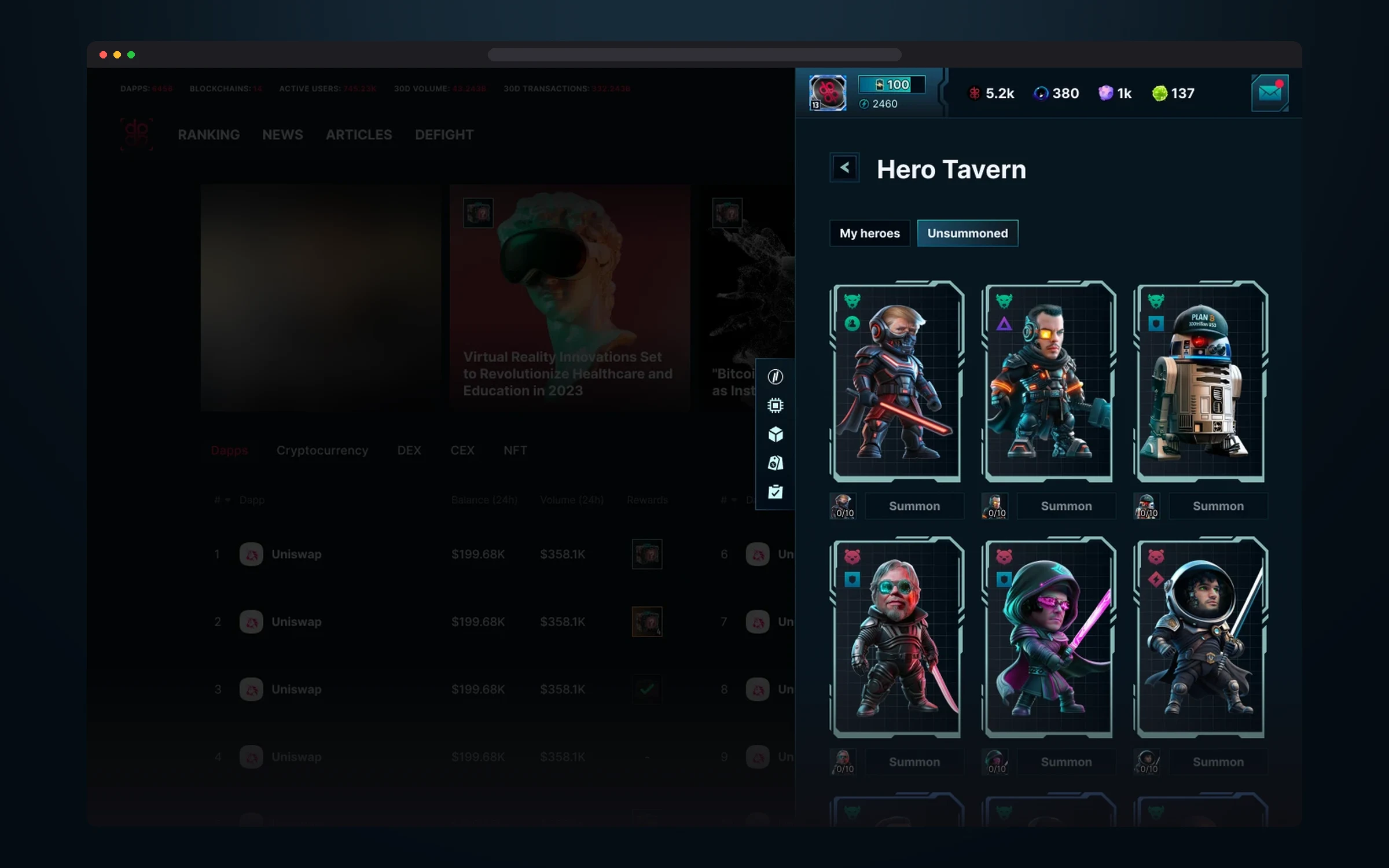
The hero collection: owned heroes and ones not yet summoned. Each card shows the faction, rarity and progress toward summoning.
Storage
Storage is the player’s vault. It holds all collected memes, and it’s also home to pre-registration: tasks and rewards the game hands out before the full launch.
Pre-registration is built as a shared goal: a counter shows how many players have already signed up, and a scale with thresholds from 1k to 100k unlocks reward chests for everyone. “More players — more prizes!”: the more people join, the more prizes each one gets, so players have a reason to invite friends. Below is the Meme Vault, a meme collection with Main, VIP and NFT tabs and a copy counter on each card.
A separate screen with pre-registration tasks guides the player through seven steps to an access key: sign up, subscribe on Telegram, connect a wallet, X and Discord. Each task gives the player a bonus, and completed ones move to the Completed tab.
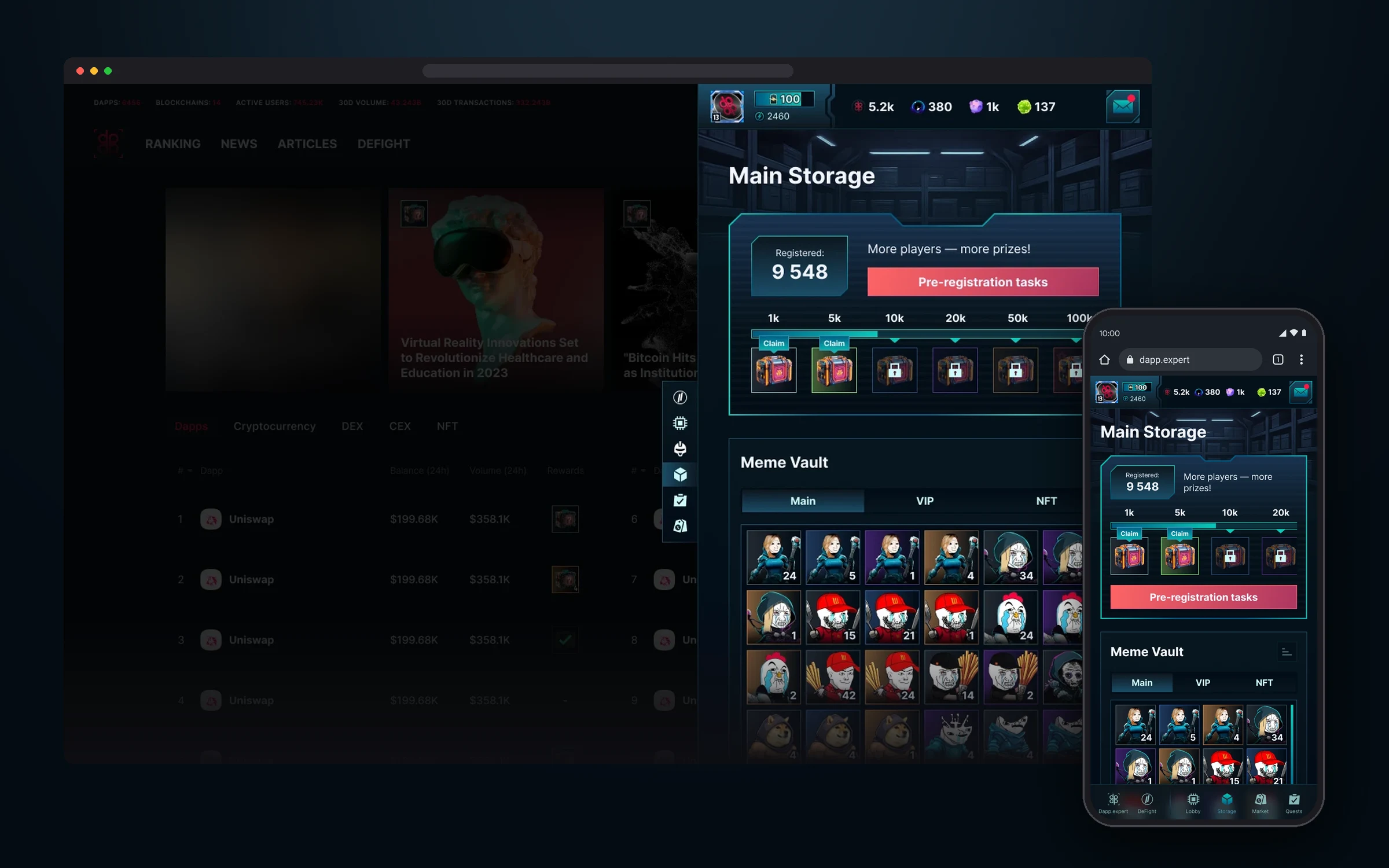
The sign-up counter, a scale of shared rewards with chests ready to claim, and the Meme Vault.
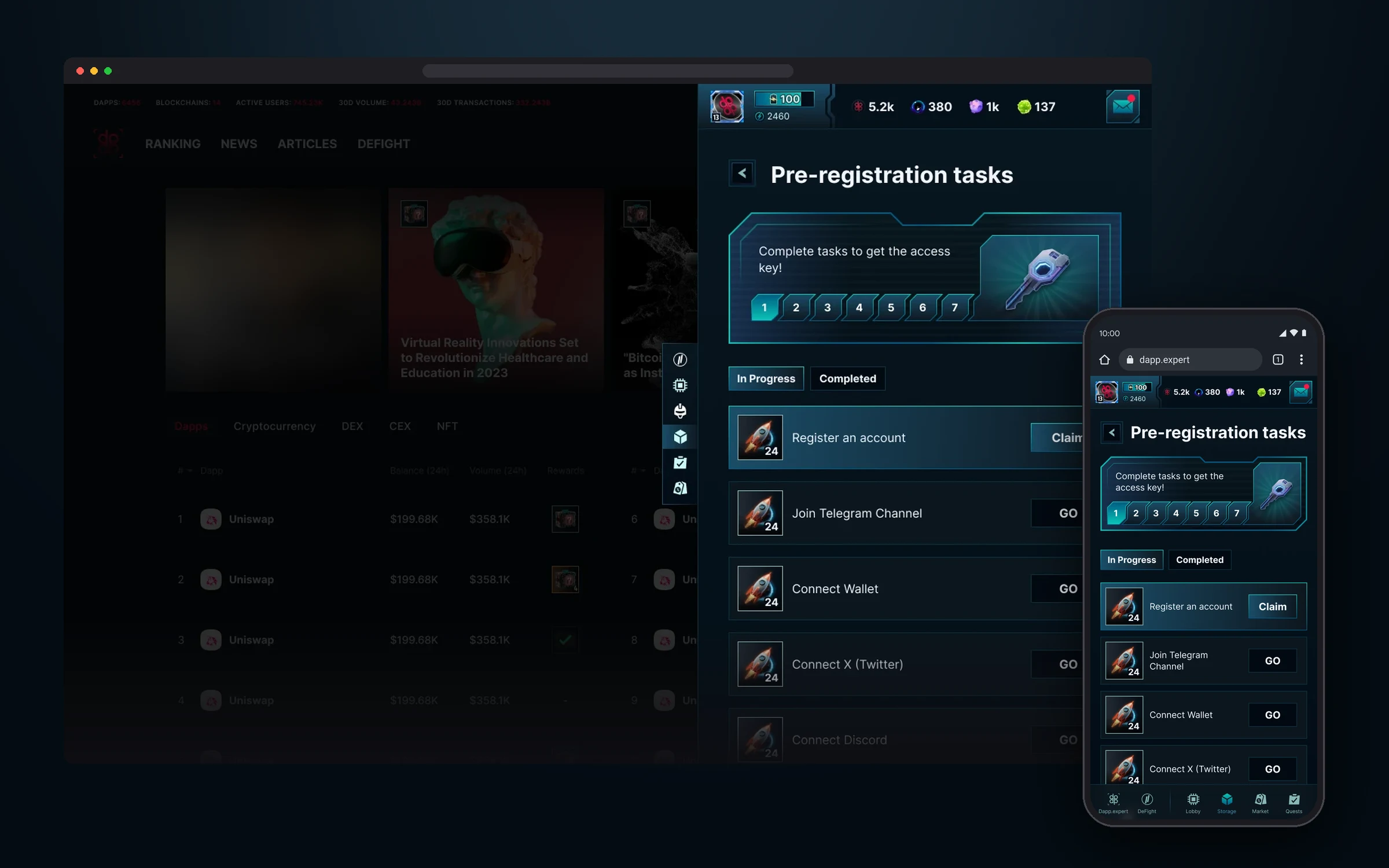
Seven steps to an access key. A task ready to claim is highlighted with a Claim button, the rest lead with a GO button to where they need to be done.
Quests
Quests is the section that brings the player back to the game every day. It gathers all the long-term goals: the Degens Odyssey season pass, the Meme Invasion event, the main quest and the daily check-in. On the overview screen every quest is a separate card with progress, a timer and a red badge when a reward is waiting.
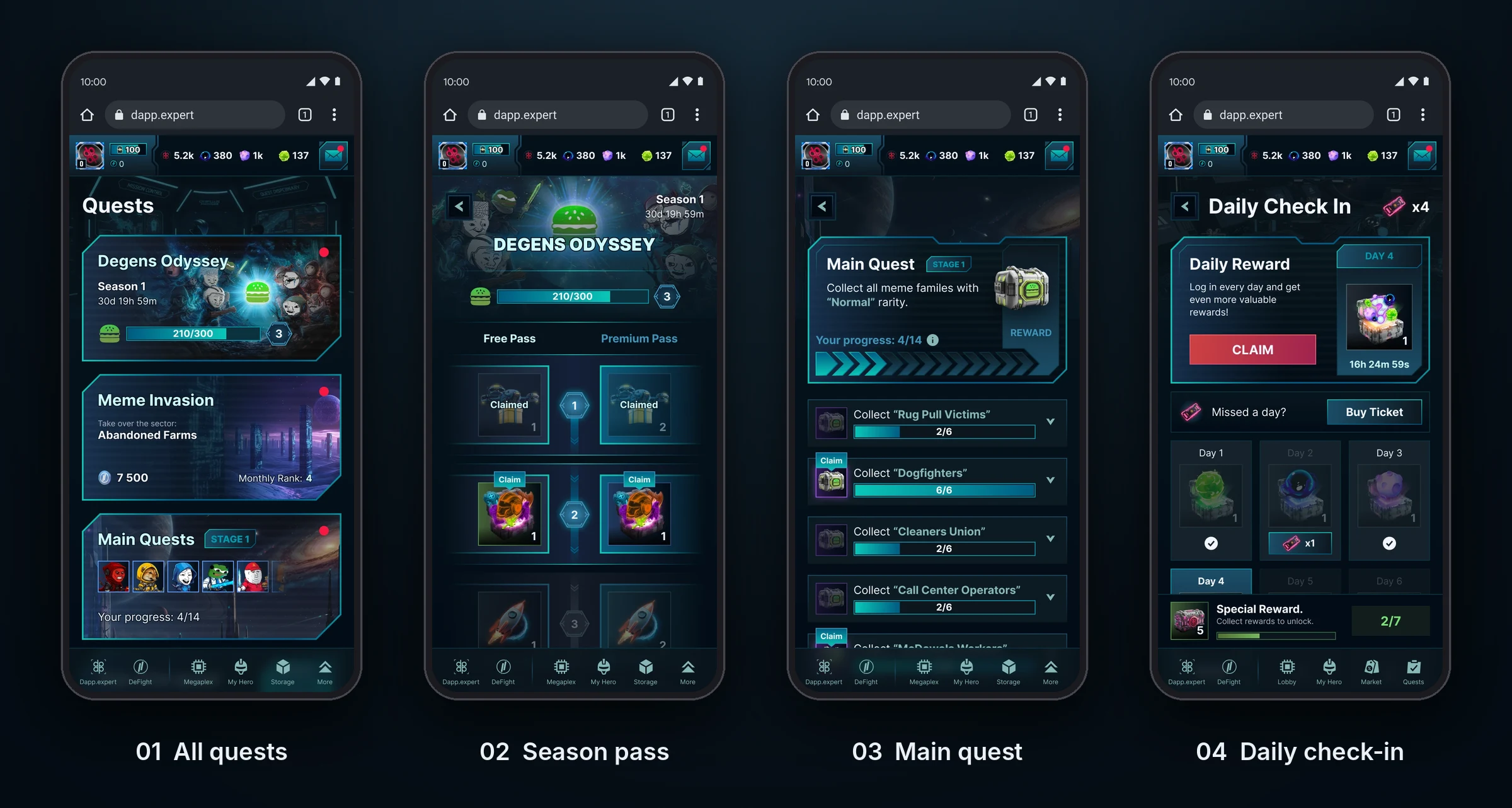
Degens Odyssey is our take on a battle pass: a 30-day season with 35 levels, each with rewards on a free and a premium track, from lootboxes and chests to pets, hero shards and the FANTIC token at the end. In Meme Invasion, players capture a sector, deploy memes for points and compete in daily and weekly rankings. Some memes become targets: while the multiplier is active, they earn twice the points. The main quest guides the player in stages, the daily check-in rewards every day, and a missed day can be recovered with a ticket.
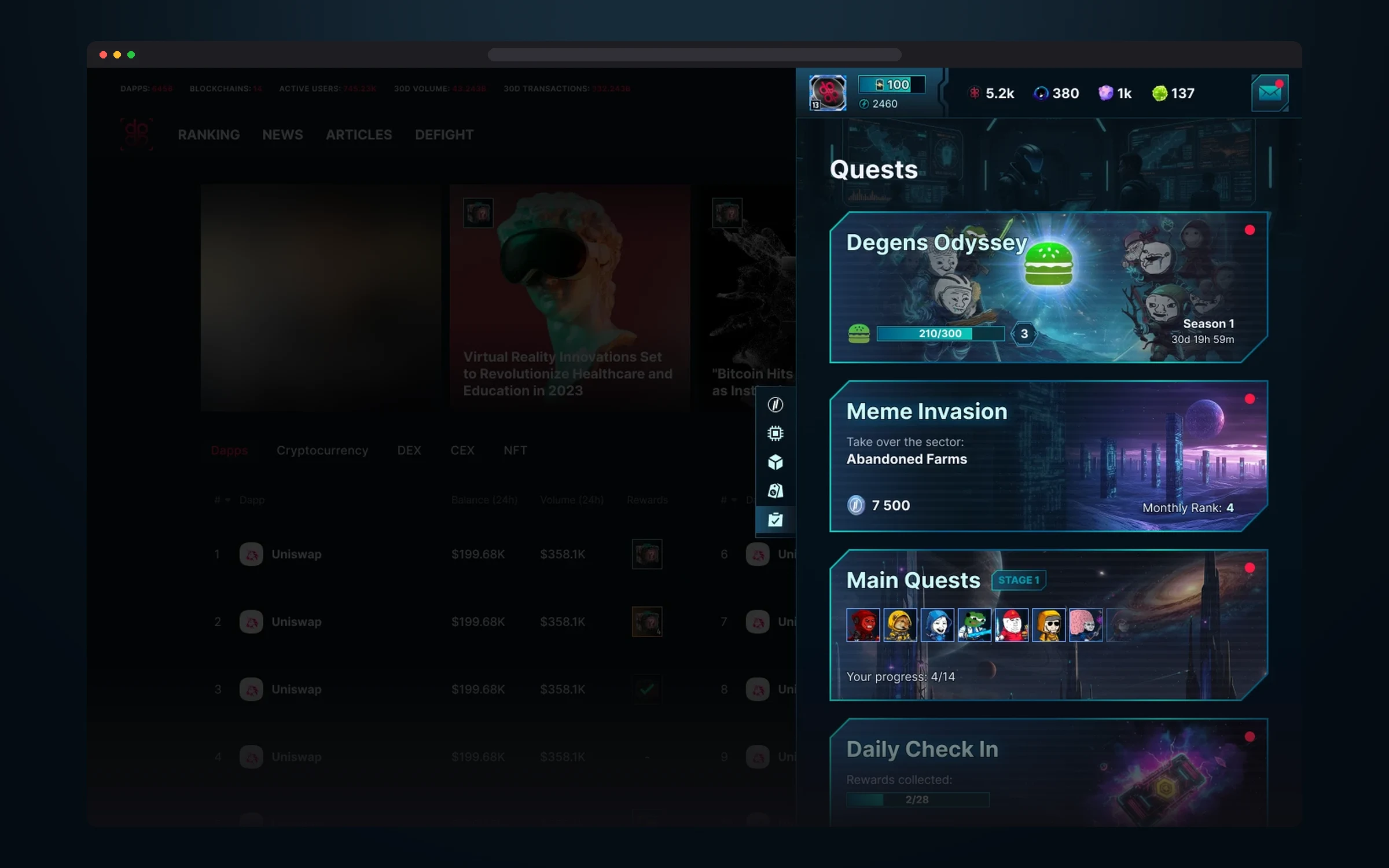
Four cards with progress and timers. A red badge shows where there’s something to claim.
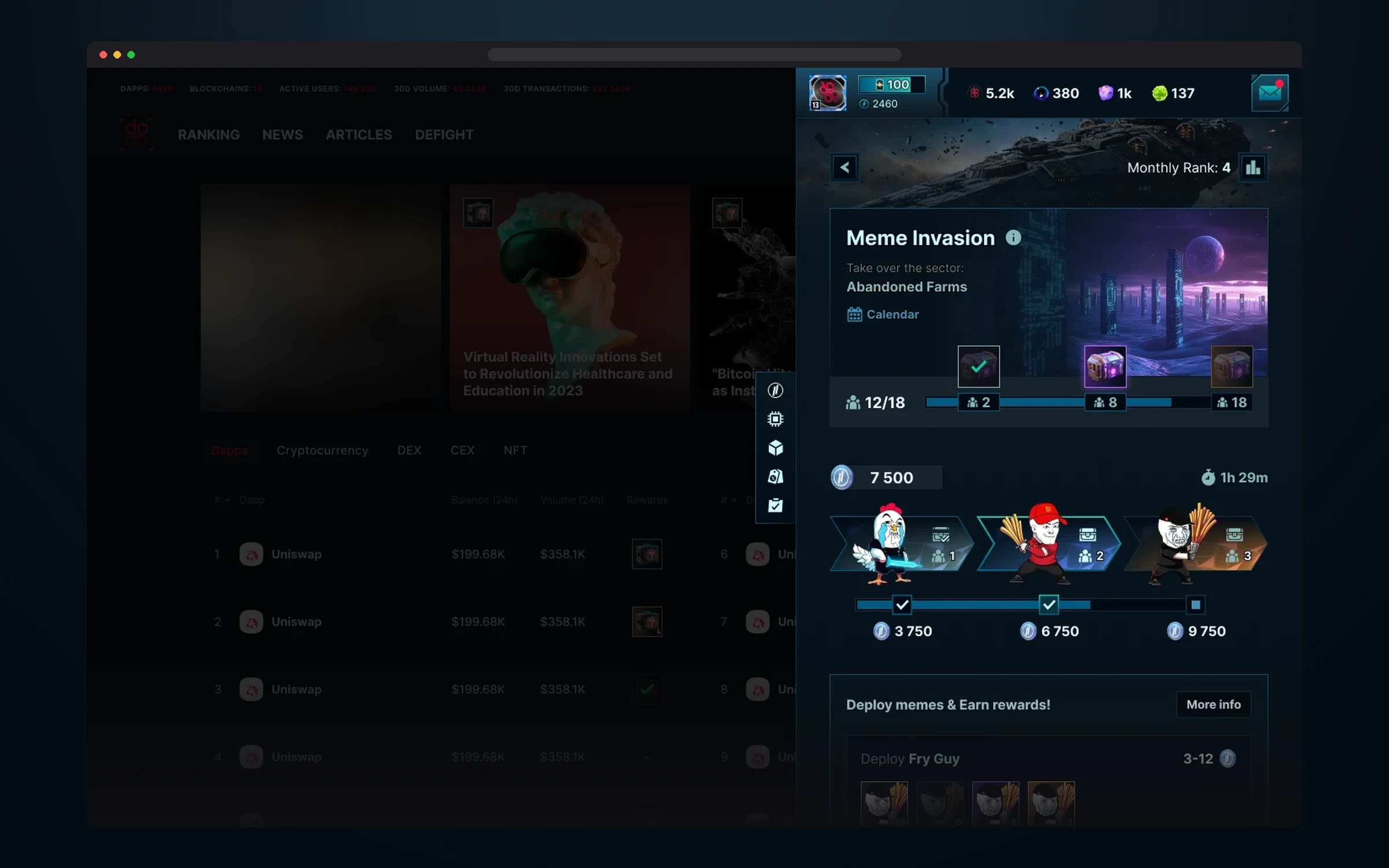
Capturing a sector: participant progress, point thresholds with rewards, a timer and the memes to deploy.
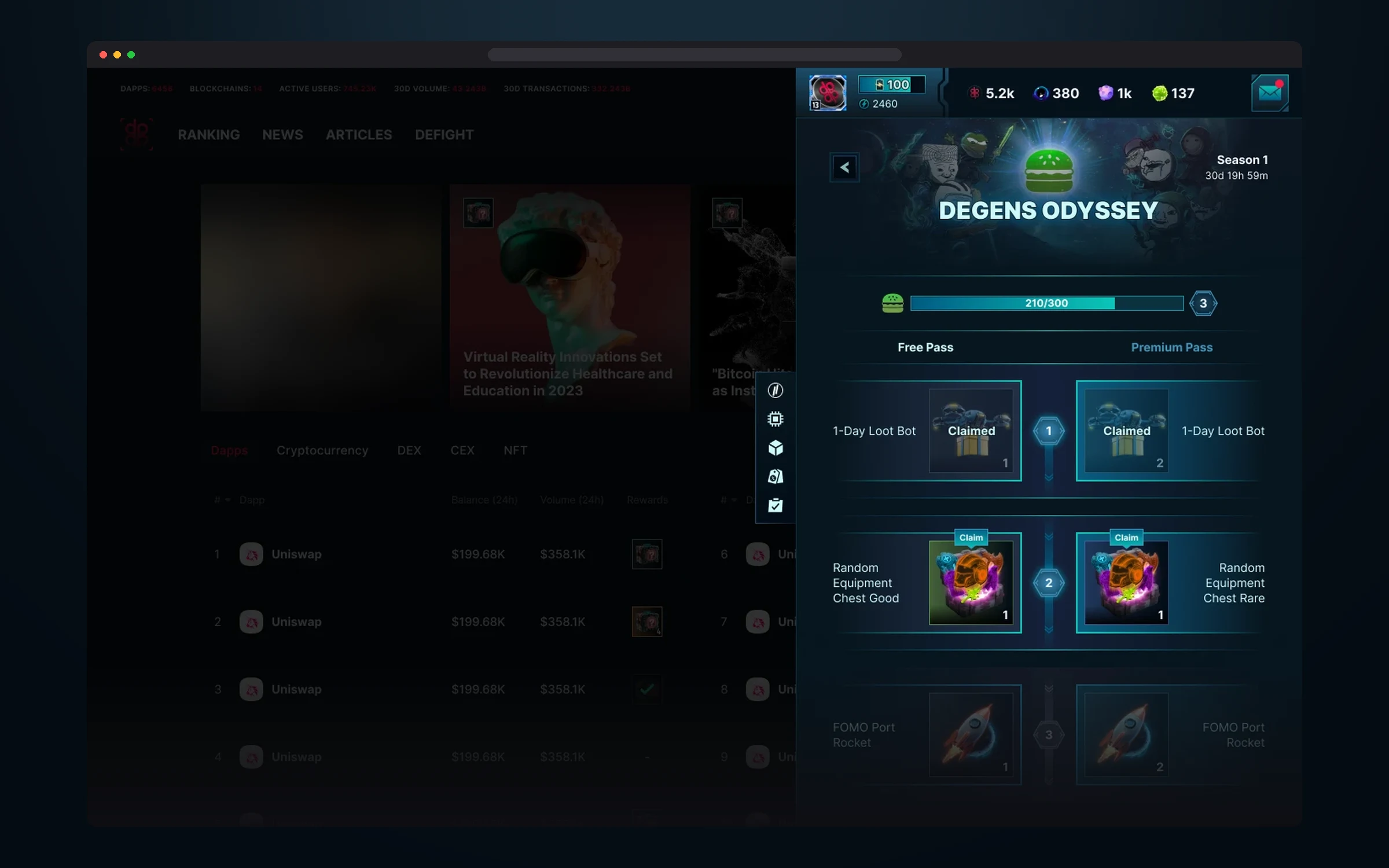
Two tracks, Free and Premium, with the same levels. Received rewards are marked Claimed, available ones are highlighted with a Claim button.
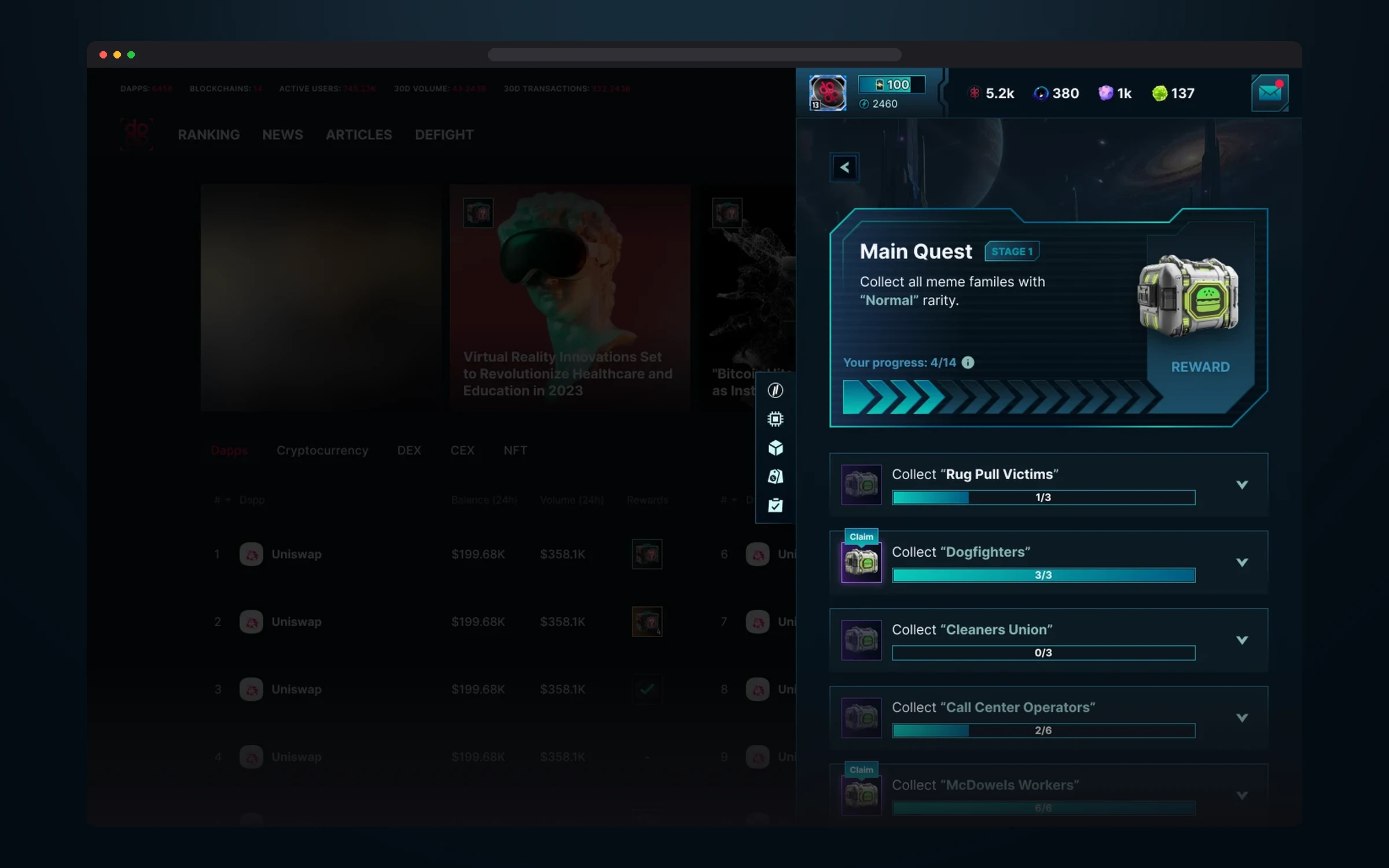
The first stage: collect every meme faction of Normal rarity. Each faction has its own bar and reward.
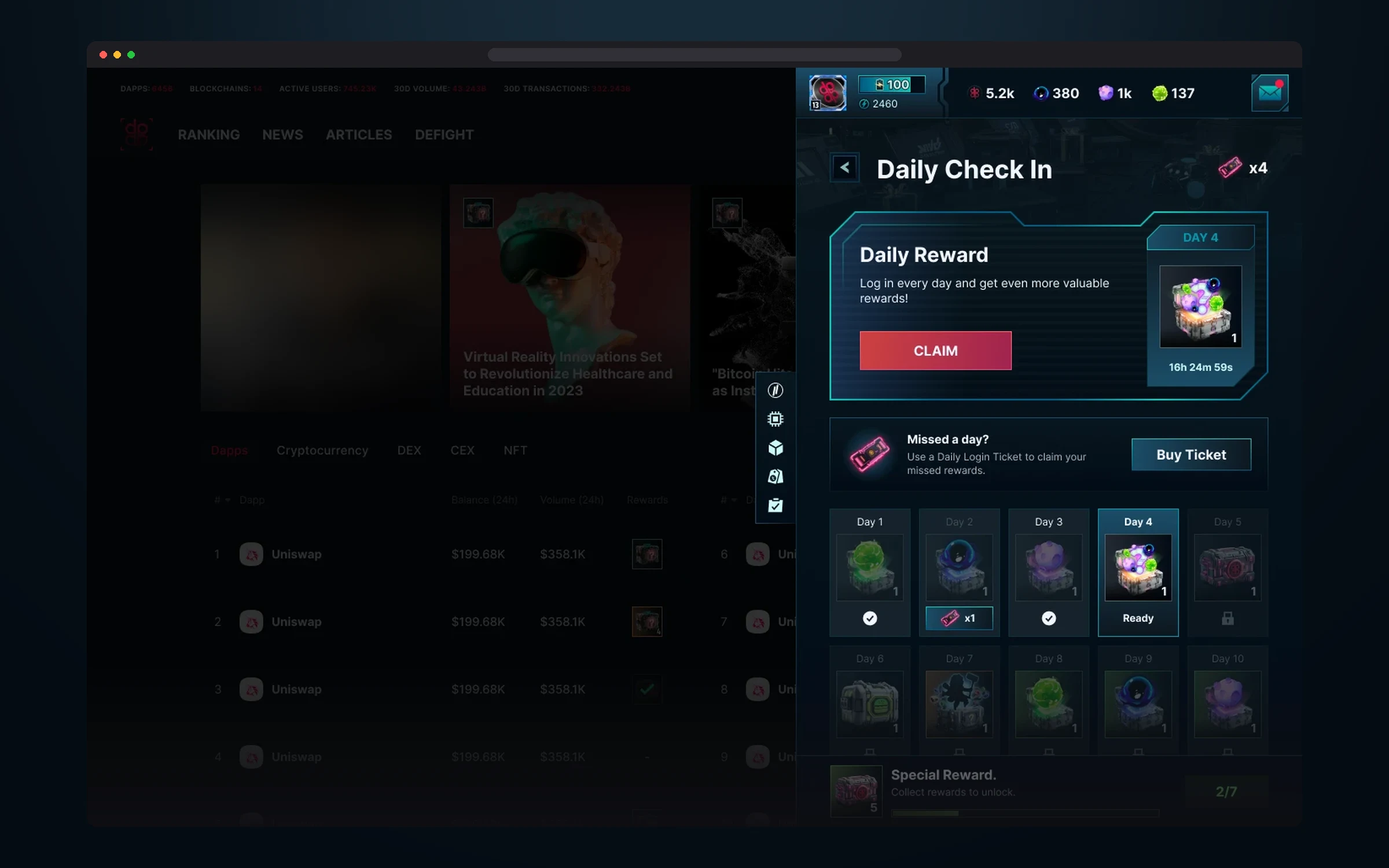
The reward of the day with a timer, a 28-day calendar and a special reward for a check-in streak.
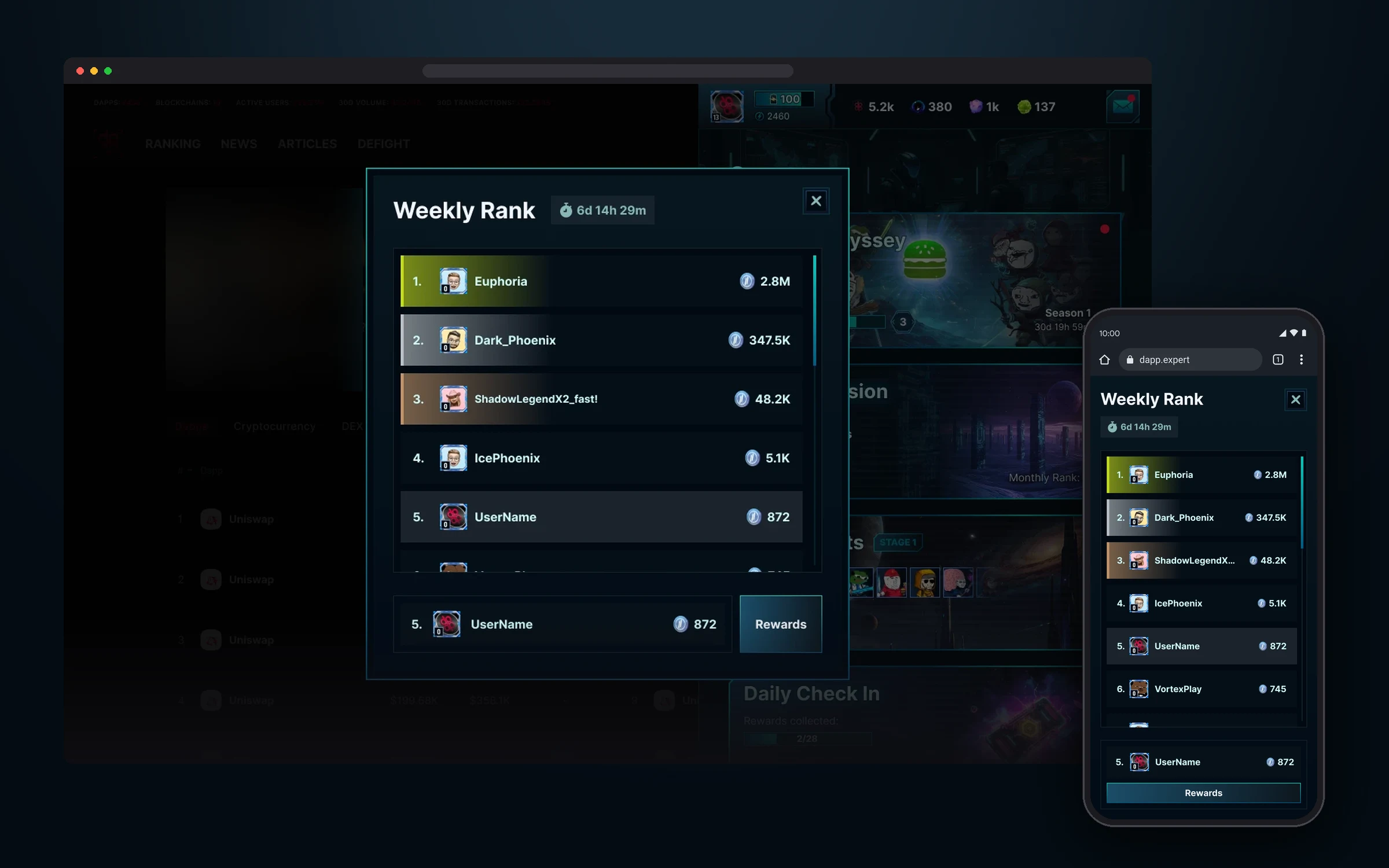
The weekly Meme Invasion ranking with a timer to the end of the week. The top three places are highlighted in color, and the player’s row is pinned at the bottom, so you see your place even when you’re far from the top.
Market
Market is the game’s shop, where players buy everything they’ll need in DeFight: memes, heroes, pets, deities, gear, upgrades, cosmetics, resources and drones. The main screen opens with a daily gift and Genesis Pass and Battle Pass banners, with shop sections as cards below.
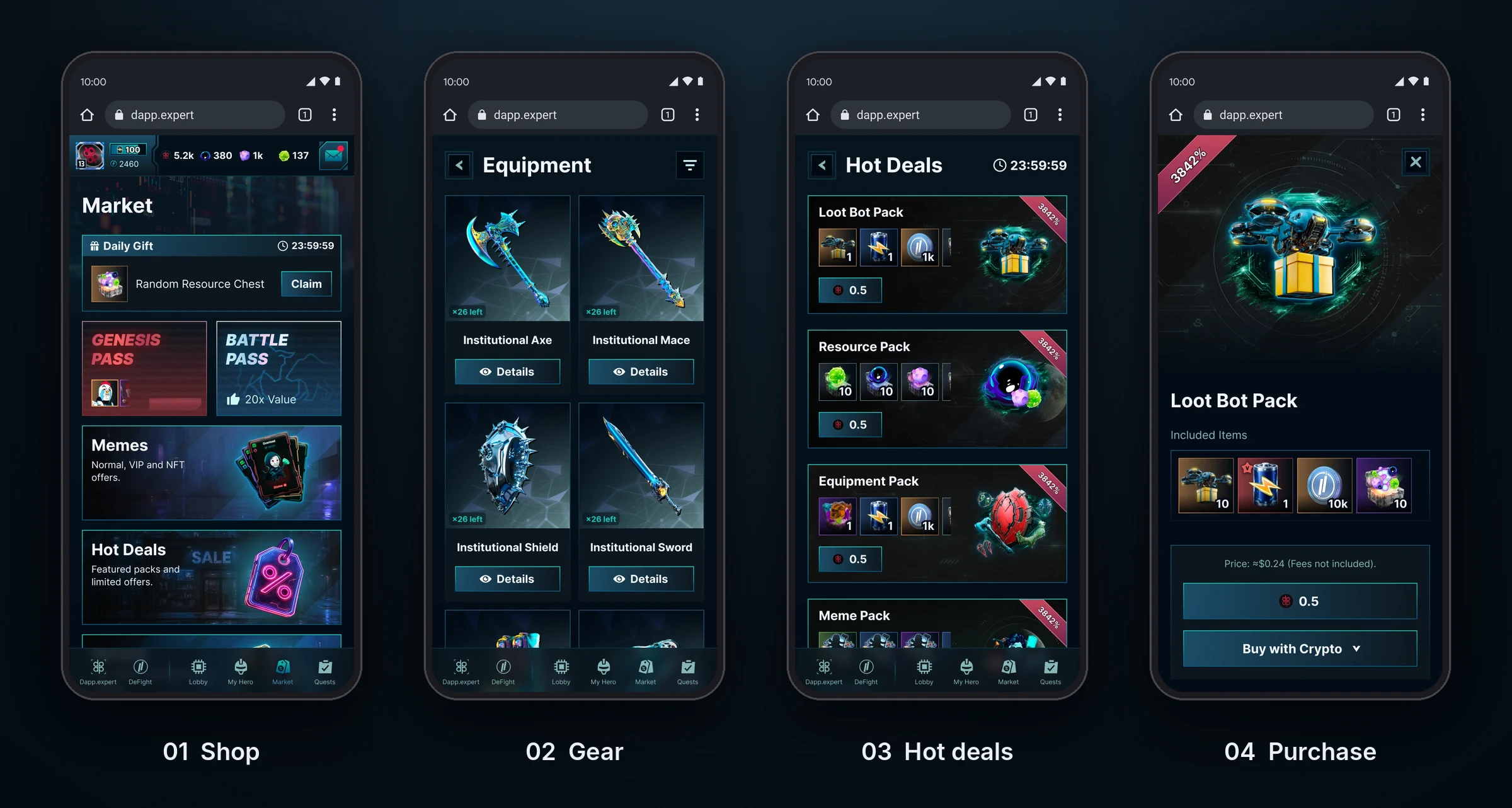
There are many sections, so all of them are built from the same blocks: a grid of cards with a Details button and a filter by race, rarity and class. Limited items show how many are left, and hot deals have a timer and a discount right on the card. Purchase opens in one window: what’s in the pack, the price in tokens and an estimated price in dollars, with payment in crypto.
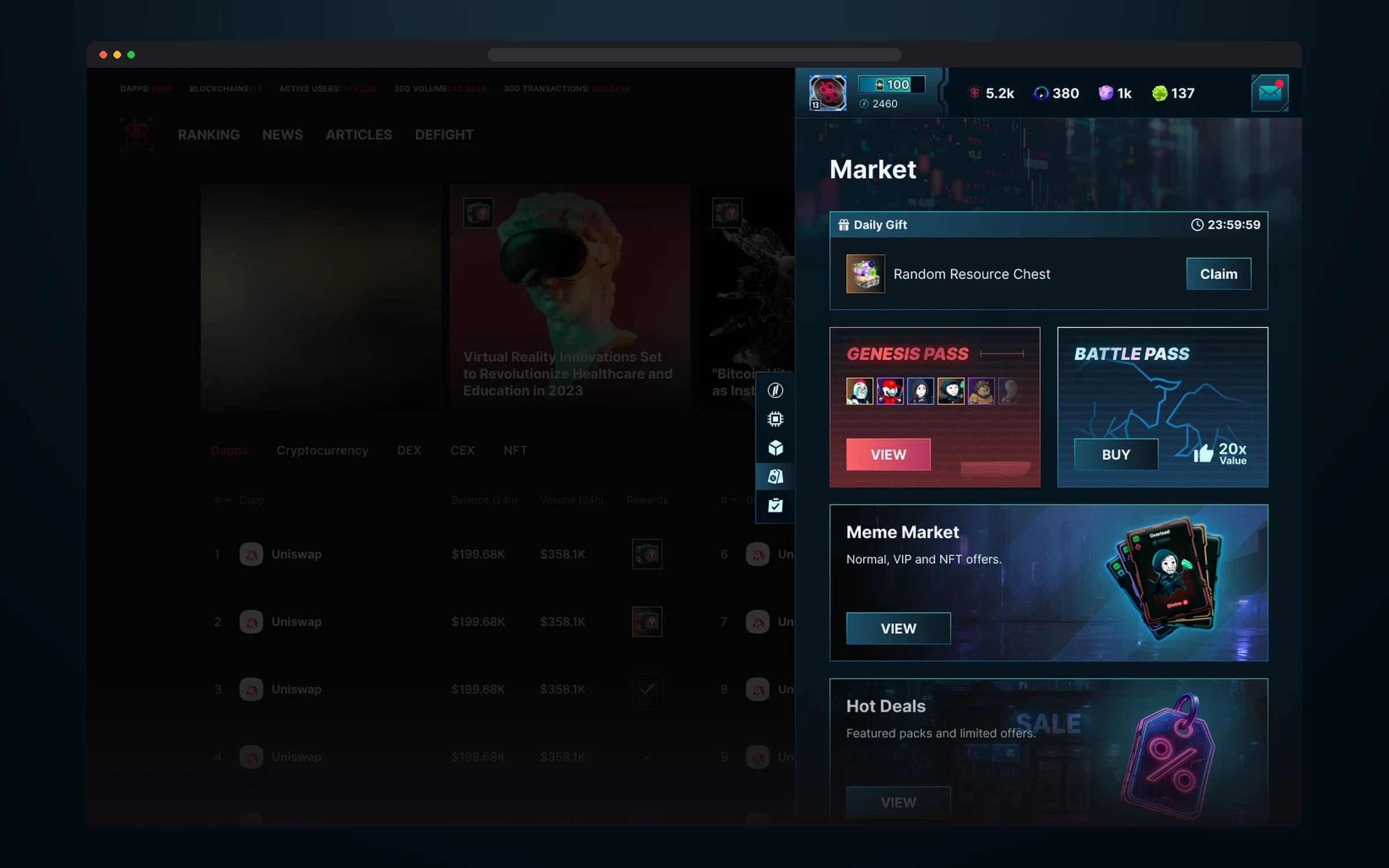
A daily gift with a timer, season passes and shop sections.
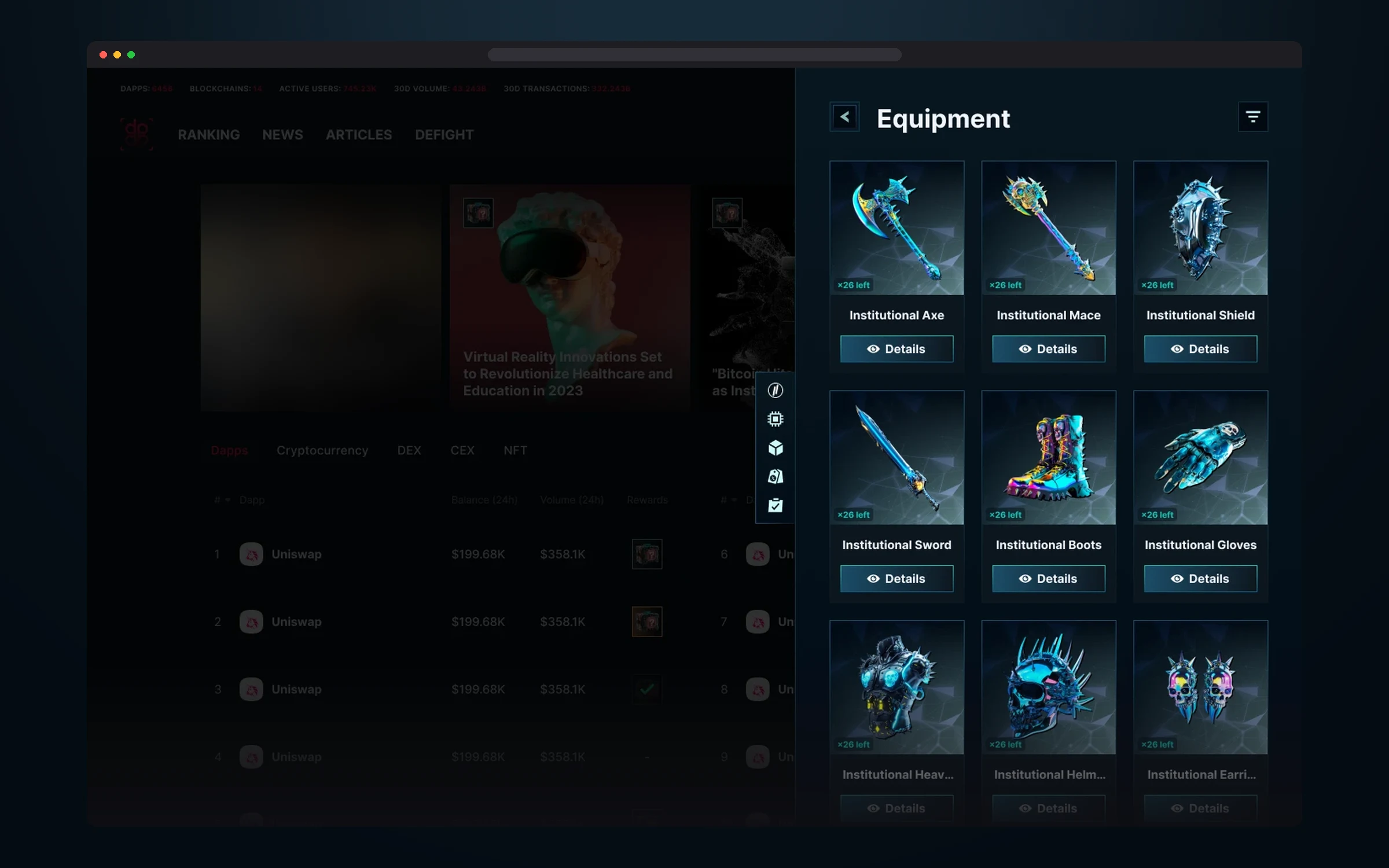
The nine-piece Institutional set. The counter on the card shows how many copies are still left.
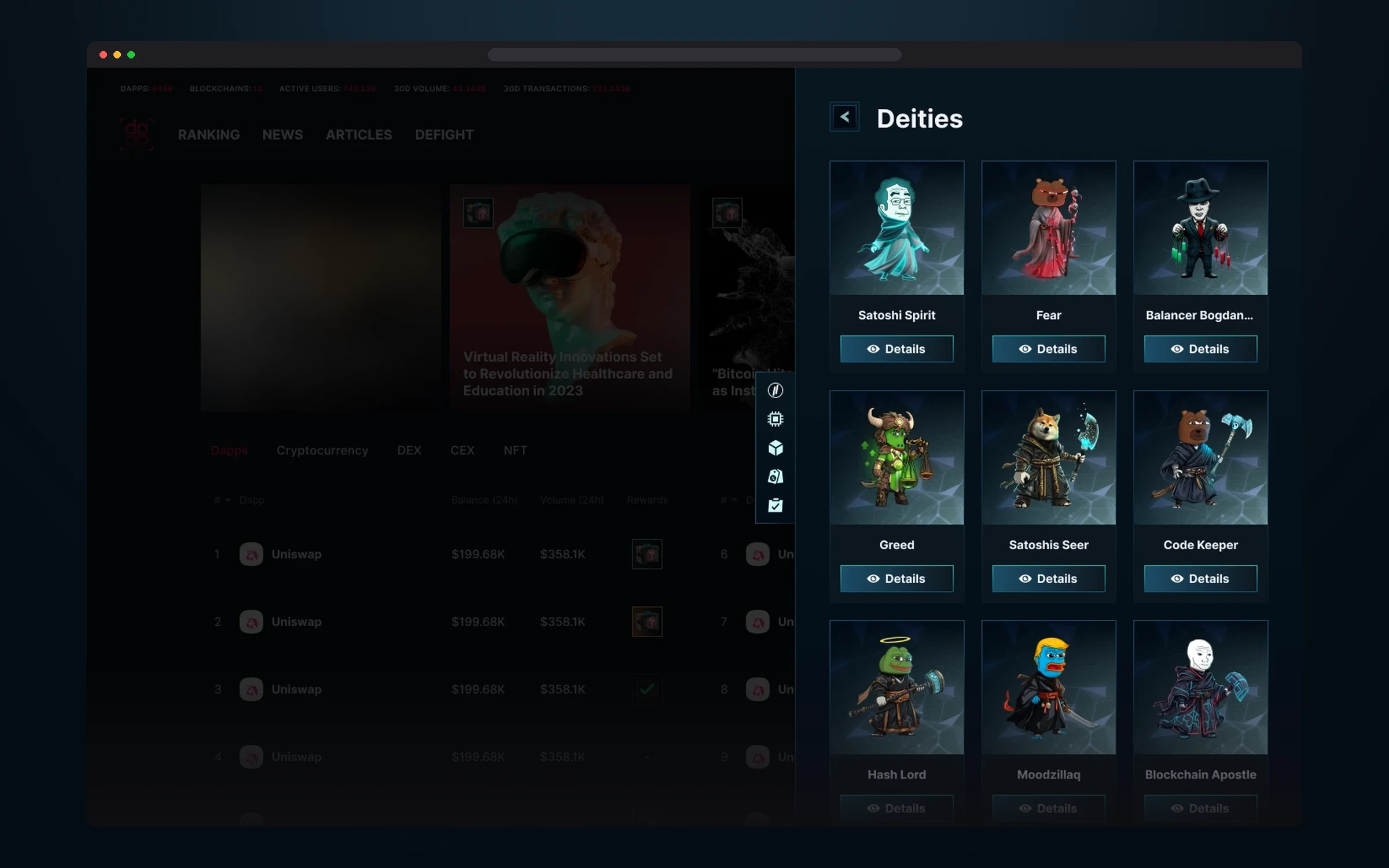
Nine NFT deities, each embodying something from crypto market life, from fear and greed to the spirit of Satoshi.
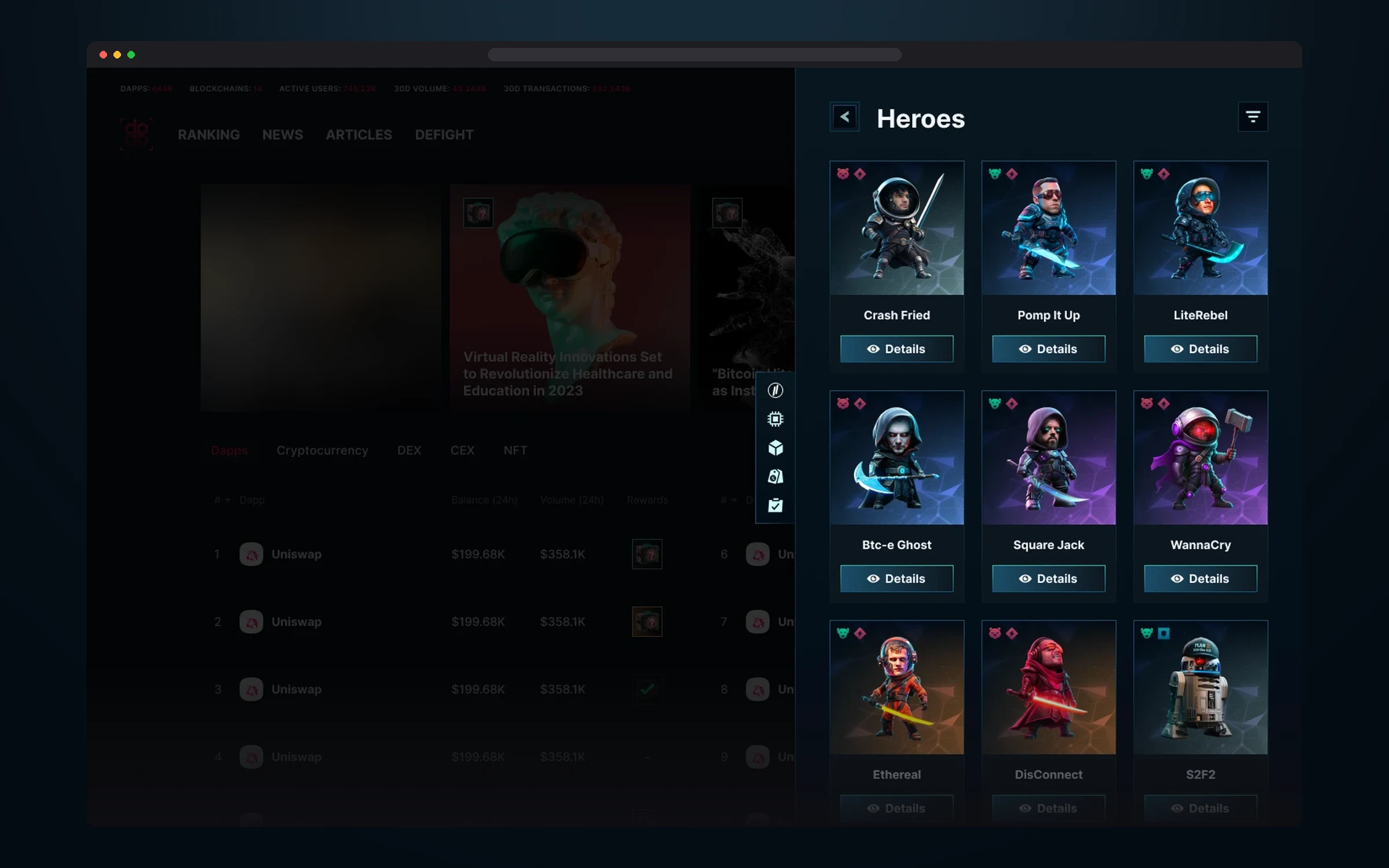
Heroes with faction and rarity on the card. The filter narrows the choice by race, rarity and class.
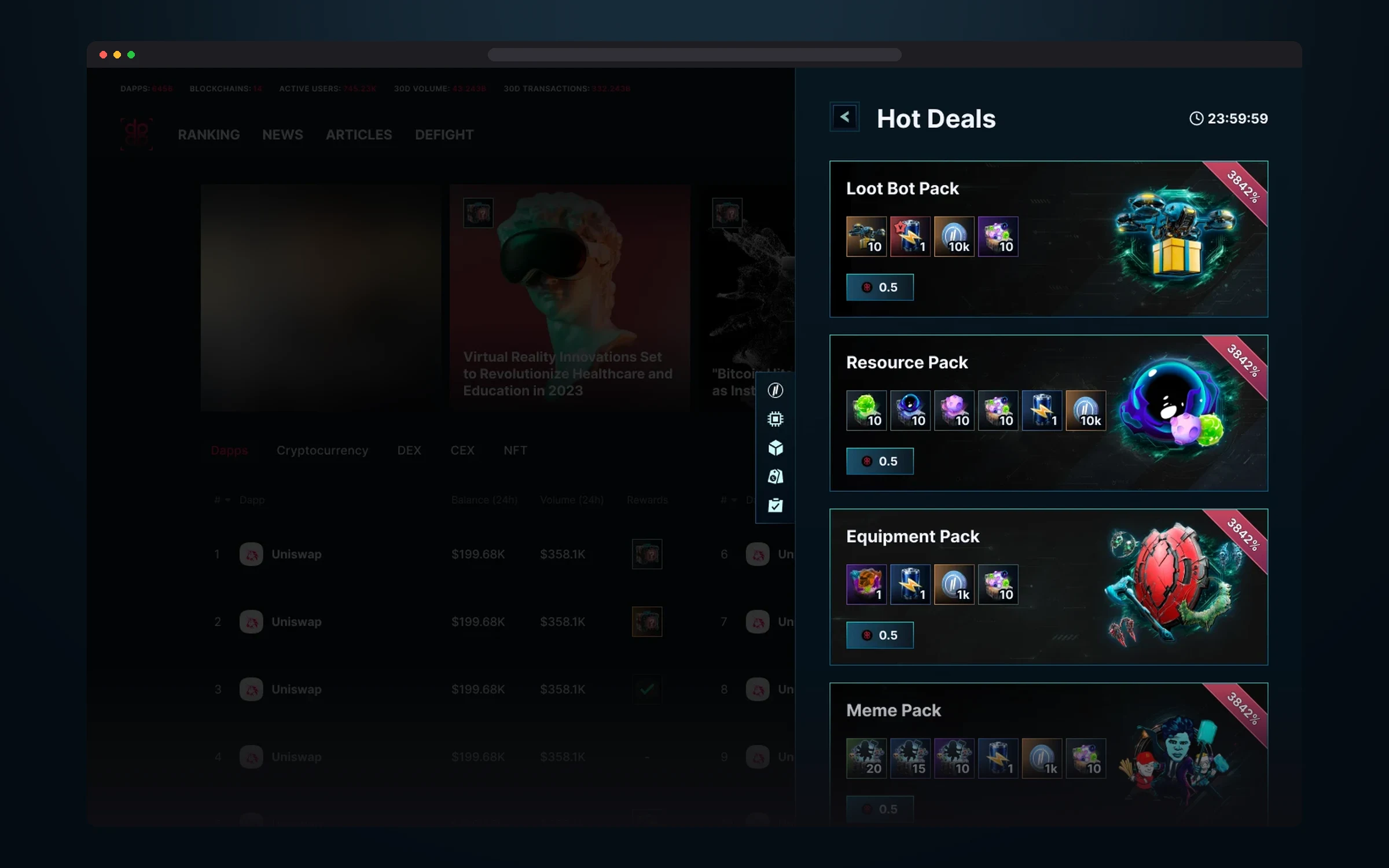
Packs with resources, gear and memes: contents, price, discount and a timer to the end of the offer.
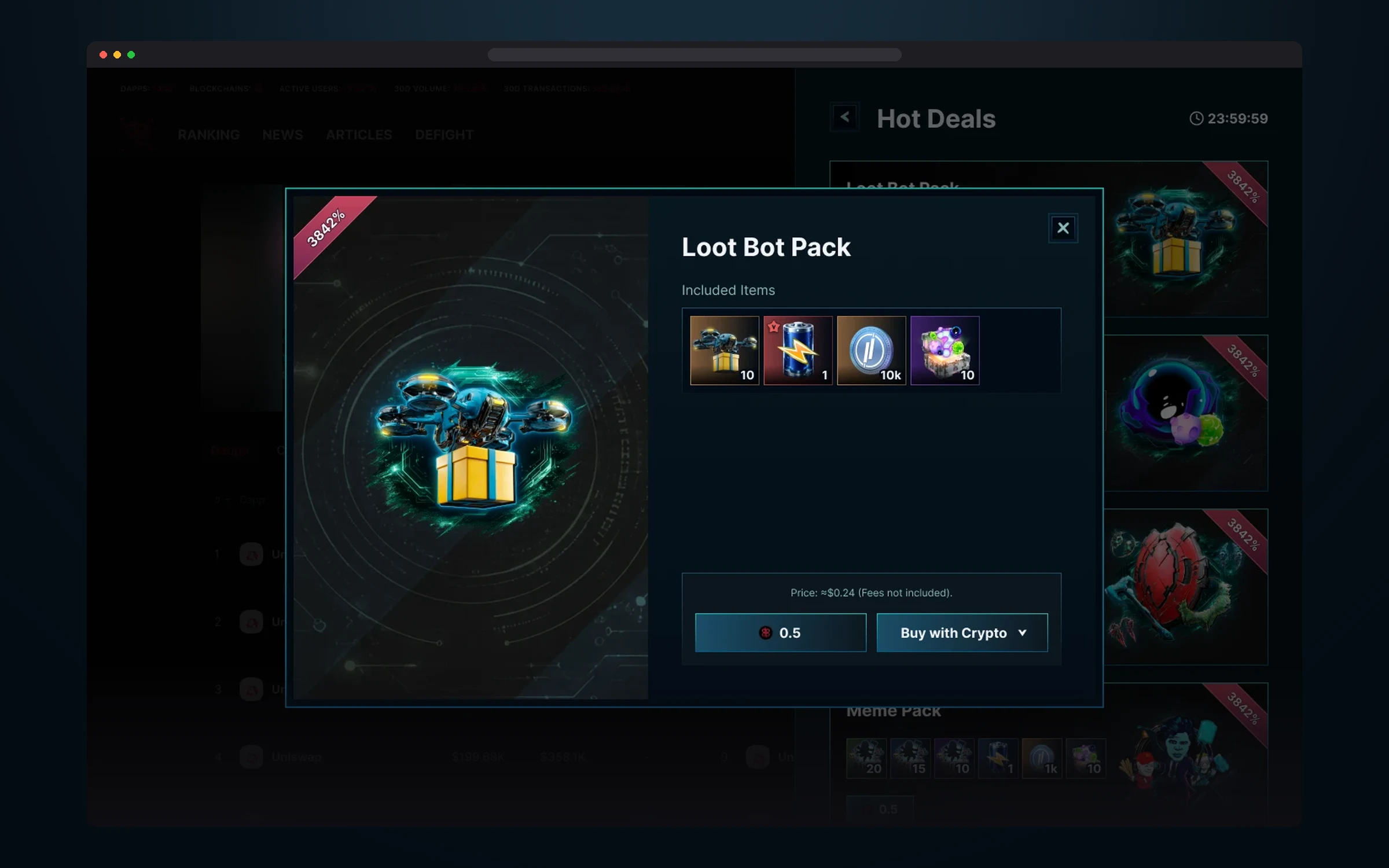
The purchase window: pack contents, price in tokens and dollars, and a crypto payment button.
Results
DeFight went from a logo to a working game: the MVP is already in production, and the design system held up through two years of constant content growth.
This is the project where we built AI into the team’s daily work: it automated 80% of the routine, and the same game scope is now handled by a team 70% smaller.
- 01 MVP in production The game is live: the lobby, the Deploy and FOMO Port modes, the base, the hero, quests, storage and the market work as one product.
- 02 A system for thousands of elements 222 sets and 3,019 component variants hold 842 items and 188 characters. New content is added without redrawing the interface.
- 03 80% of routine on AI The tools from the AI Workflow section took over checks, specs and handoff prep. Now the project is run by a team 70% smaller than before AI was integrated.
What I took away
DeFight is the largest project of my career: thousands of elements, dozens of mechanics and flows that intersect with each other. It taught me to hold that scale not on memory but on rules: consistent cards, states for every component, review of every screen and logic annotations for development. When there are hundreds of items and ten rarities, order in the library matters as much as beautiful art.
Second, a game has to be both vivid and clear. Players should feel the thrill, yet see in a second what changed, what they can claim and where to go next. That’s why we built every screen around statuses, timers and one main action.
And third: DeFight is where our AI breakthrough happened. We didn’t just try new tools, we built them into the process, and on a large project that had the most visible effect.